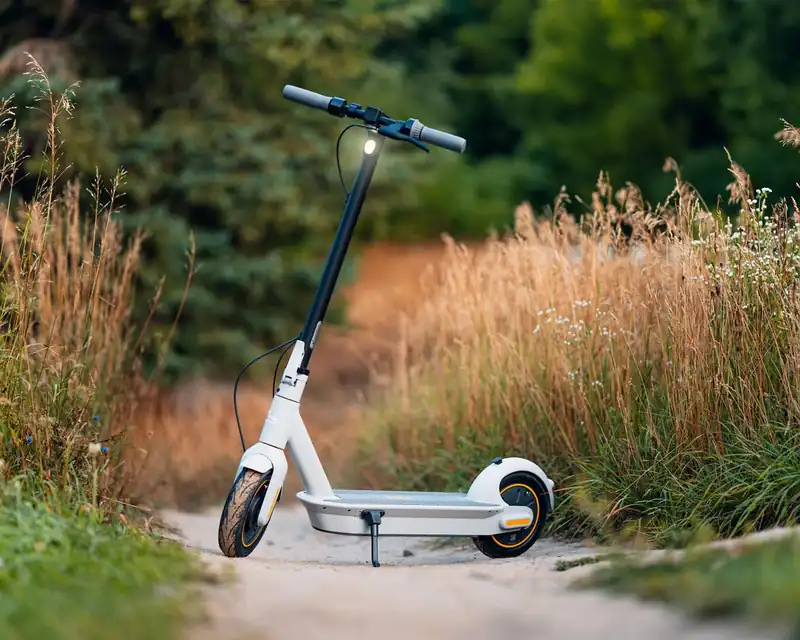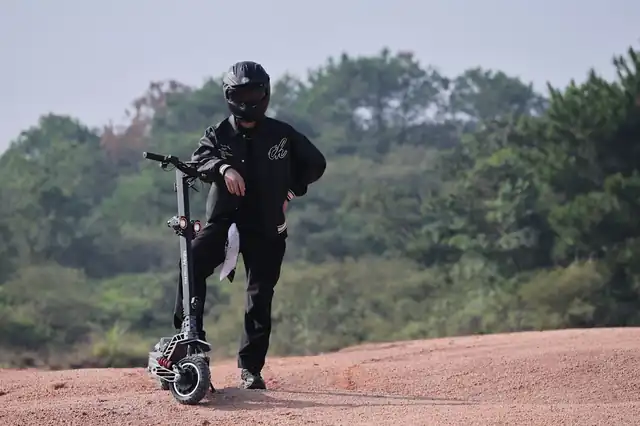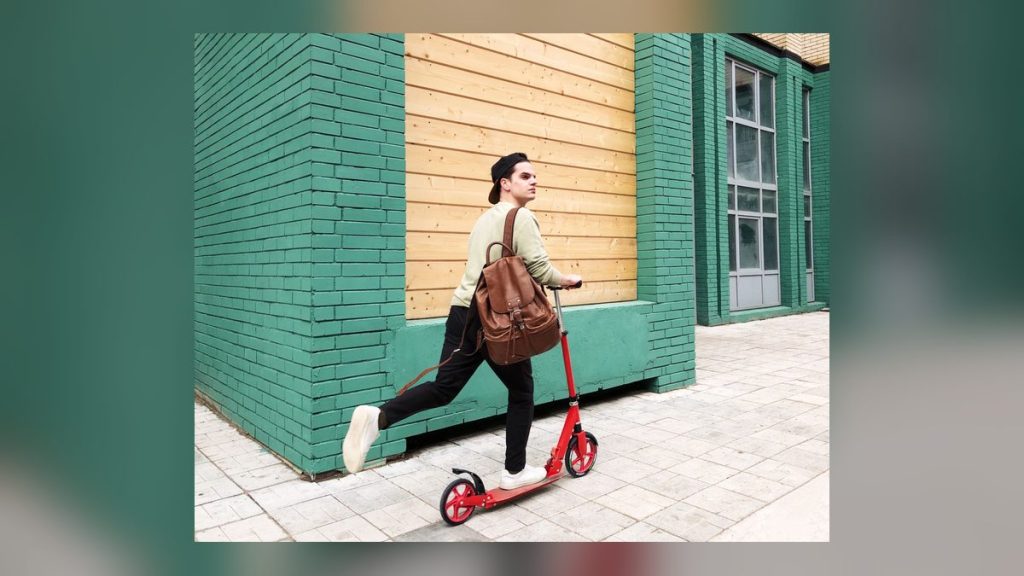
If you’ve ever tried to talk a 6-year-old out of “the cool light-up scooter” at Target, you already know how this story ends. The Hover-1 Nano Folding Kick Scooter is one of those rides that wins kids over in about three seconds — glowing wheels, a glowing stem, a glowing deck, and a fold-down stem so it actually fits in the trunk. Check price on Amazon before we go further, because the price changes a lot.
Hover-1 Nano Folding Kick Scooter
The Nano is available directly on Amazon. Foldable, light-up wheels, adjustable height for kids.
Razor A5 Lux — The Natural Next Step
Outgrown the Nano? The Razor A5 Lux has 8″ wheels for a smoother adult-level ride.
ILM DOT-Certified Half Helmet
Every scooter rider needs head protection. DOT-certified and lightweight.
But cute lights aren’t enough. As parents, what we really want to know is simple: Is this thing safe? Will it last? Is my kid actually going to use it past week two? That’s exactly what this review is going to answer — no fluff, no fake hype, just a practical breakdown after digging into hundreds of real-rider experiences and the latest 2026 product specs.
By the time you finish reading, you’ll know who the Nano is perfect for, where it falls short, how it stacks up against other popular kids’ kick scooters, and whether it’s the right pick for your child’s height, weight, and skill level. Let’s roll. 🛴
What’s Inside This Review
- Quick Verdict (TL;DR)
- Hover-1 Nano At a Glance
- 7 Key Features That Matter
- Deep-Dive Review (Build, Ride, Lights, Safety)
- Pros & Cons
- Real-World Performance
- Hover-1 Nano vs Competitors
- Who Should Buy It (and Who Shouldn’t)
- Common Mistakes (and Easy Fixes)
- Pro Tips From Real Parents
- FAQs
- Final Buyer’s Checklist
Quick Verdict (TL;DR)
If you want a safe, lightweight, light-up first scooter for a kid age 5 to about 10 — and you don’t want to spend a fortune — the Hover-1 Nano is one of the smartest picks of 2026.
It’s not the smoothest scooter on rough pavement, but for sidewalks, driveways, parks, and indoor play it punches way above its price tag.
Hover-1 Nano At a Glance
Before we get into the long-form review, here’s the cheat-sheet version of what you’re actually buying. Think of this like the back-of-the-box specs, only with the parts the box doesn’t tell you.
💬 “The Nano nails the basics. It’s the scooter equivalent of a great pair of beginner sneakers — light, friendly, and forgiving.” — Hoverboards Guide editorial team
7 Key Features That Actually Matter
Anyone can list specs. The real question is what those specs do for your kid in everyday riding. Here’s the honest breakdown of the seven features that make the Hover-1 Nano feel different from the dozens of other kick scooters out there. Many of these are the same features we look for in our broader best kick scooters for kids roundup.
1. 🪶 A 3.1-Pound Frame Your Kid Can Actually Carry
Most kids’ scooters weigh between 5 and 8 pounds. The Nano is just 3.1 pounds — about the weight of a half-gallon of milk. That sounds nerdy, but it’s the difference between your child carrying their own scooter into the apartment after the park and you carrying it. Lighter scooters also fall over less violently, which means fewer dings on the wall and your shins.
2. 💡 Multi-Color LED Wheels, Stem, AND Deck
This is the reason the Nano sells. Most kids’ scooters light up only in the wheels. The Nano puts LEDs in three places: both wheels, the front stem, and the foot deck. The wheels are powered by motion (no batteries needed there) and the stem and deck use 3 AA batteries. It looks ridiculous on a dark sidewalk in the best way possible.
3. 🛞 Solid PU Tires (No Flats, Ever)
The Nano uses solid polyurethane (PU) tires, the same material used on most quality skate wheels. They never go flat, never need air, and never need replacement for years of normal use. The trade-off: they’re not as smooth as air-filled tires on rough pavement. For a comparison of these two tire types, our guide on pneumatic vs solid tires goes deep, but the short answer is: solid is the right pick for kids this age.
4. 📏 Adjustable Handlebar That Grows With Your Child
Buy this scooter at age 5 and your kid can still ride it at age 9 or 10. The handlebar slides up and down on the stem and locks in place with a clamp. No tools needed. This is the single biggest reason the Nano feels like real value — you’re not replacing it next birthday.
5. 🎒 One-Step Quick-Fold System
Press a button at the base of the stem, and the whole scooter folds nearly flat in about two seconds. You can fit it in a backpack, a stroller basket, the trunk, or under a restaurant table. This sounds small until you’ve spent five minutes trying to wrestle a non-folding scooter into a Honda Civic.
6. 🧭 Lean-to-Steer Axle
Instead of turning the handlebars to steer, kids lean their body weight in the direction they want to go. This matches how kids actually balance, and it’s hands-down the easiest way for a 5-year-old to learn. It also means falls are softer because the kid is already learning to shift their weight, not yank a handlebar.
7. 🧤 Cushioned Grip Handles
The grips are soft foam, not bare plastic. Tiny detail, big impact — kids ride longer because their palms don’t sting. Foam grips also dampen vibrations from the solid tires, which helps a lot on cracked sidewalks.
The Deep-Dive Review
Build Quality & Design
The Nano’s frame is aluminum alloy, which is how Hover-1 keeps it so light without making it feel cheap. The stem clamp is a metal quick-release, not plastic — that’s important because plastic clamps loosen over time and start to wobble. The deck is wide enough to fit a typical kids’ shoe but narrow enough that the scooter still folds compact.
What sets the Nano apart visually is the detail in the lighting. The LEDs aren’t just slapped on; they’re embedded into clear panels along the stem and deck so the whole frame appears to glow rather than spotting individual lights. Black is the most popular finish, and it makes the colors pop hardest at night.
Performance & Ride Feel
Let’s be honest: kick scooters live and die by how smooth they roll. The Nano rolls well, not great. On smooth concrete and indoor floors, it glides forever once kicked. On rougher asphalt, you’ll feel every crack — that’s the trade-off of solid tires. For kids ages 5 to 8, this is honestly fine because they’re not riding fast. For older or heavier kids near the 110-lb limit, you might want to look at our best scooters for teens guide instead.
The lean-to-steer takes about one ride to figure out. Kids who’ve been on a balance bike or skateboard get it almost instantly. Kids transitioning from a 3-wheel toddler scooter need maybe 10 minutes.
Battery / Power (Lights Only)
Important to repeat: this is not an electric scooter. It’s a kick scooter. The “battery” is just for the LED lights on the stem and deck. You’ll need 3 AA batteries (not included) to make those work. The wheel lights are motion-powered and need no batteries.
Battery life on the LEDs is roughly 8–10 hours of active riding before you need to swap. That’s months of normal use.
Comfort & Usability
Comfort is mostly about the foam grips and the wide-enough deck. Both are well done. The handlebar adjustment is smooth — the only nitpick is that the lever takes a real squeeze, so younger kids will need a parent to set it.
Safety Features
The Nano has a rear fender brake (step on the back fender to stop) which is the standard for kids’ scooters and works fine for the speeds kids reach. The frame is low to the ground, which means falls are short. The LED lighting also makes the scooter visible in dim light, which is genuinely a safety feature.
Smart Features
There aren’t any. No app, no Bluetooth, no speed display. For a $40-ish kids’ kick scooter, you don’t want any of that anyway — it’s just more to break.
Pros & Cons
What We Love
- Insanely light at 3.1 lbs — kids carry it themselves
- Three-zone LED lighting (wheels, stem, deck)
- One-step folding works fast and stays locked
- Adjustable handlebar grows with your child
- Solid PU tires — never go flat
- Lean-to-steer learning curve is super short
- Budget-friendly price point
Honest Trade-Offs
- Solid tires get bumpy on rough roads
- Batteries for stem/deck lights not included
- 110 lb cap means most kids outgrow it by age 11
- Handlebar clamp is stiff for small hands
- No bell or kickstand included
- Not built for tricks or skate parks
Real-World Performance
Specs are one thing. Watching a kid actually use the Nano for a month tells you the real story. Here’s where the Nano shines and where it stumbles based on real-world rider feedback.
Indoors & Smooth Floors
This is where the Nano absolutely kills it. PU wheels grip indoor floors, and the lights look unreal in a dim hallway or basement. Many parents say their kids’ favorite riding spot is actually the garage or playroom, not the sidewalk.
Smooth Sidewalks & Driveways
Excellent. The Nano was clearly designed for this exact use case. Kids can go almost as fast as they can run, the lean-to-steer keeps them in control, and the rear brake stops them in a couple of feet.
Cracked Asphalt & Bumpy Pavement
This is the Nano’s weakness. Solid tires transmit every bump straight up the stem. Kids will still ride it here, but they’ll complain after a while. If your neighborhood is mostly old, broken sidewalks, look at scooters with bigger air-filled tires instead.
Wet Conditions
Skip it. The deck and grips can get slippery, and water can sneak into the LED housings. The Nano isn’t waterproof. Bring it inside if rain starts.
Hover-1 Nano vs Top Competitors
Three scooters dominate this exact “kids 5+, light-up, folding” category. Here’s how the Nano compares against the two biggest rivals — the Jetson Orbit and the Razor A Kick. For a wider category breakdown, our electric scooter vs kick scooter comparison covers when to pick each style.
Which Scooter Wins by Use Case?
Who Should Buy the Hover-1 Nano
The Nano Is Perfect For…
- Parents looking for a first scooter for a kid age 5 to 9
- Families who want a light-up scooter for evening rides and parties
- Anyone who needs a folding scooter that fits in a car trunk or stroller basket
- Kids transitioning from a 3-wheel toddler scooter to a real two-wheeler
- Birthday and holiday gifts that won’t blow the budget
- Apartments and townhomes where storage space is tight
Skip the Nano If…
- Your child is over 110 lbs or older than about 11
- You ride mostly on rough, cracked pavement (get air tires)
- You want a scooter for tricks, jumps, or skate parks
- You expected an electric scooter — the Nano is kick-only
- You ride in rain or wet conditions regularly
5 Common Mistakes (and Easy Fixes)
Even a simple scooter has gotchas. Here are the five most common mistakes new owners make with the Hover-1 Nano — and exactly how to avoid them.
- Forgetting to buy AA batteries. The lights for the stem and deck are the #1 reason kids beg for this scooter, and they don’t include the 3 AAs. Fix: Grab a pack of AAs at checkout. Lithium AAs last 3x longer than alkaline.
- Not tightening the handlebar clamp before the first ride. Wobbly handlebars feel scary and make kids quit. Fix: Adjust the height, then push the lever all the way closed. If it still wiggles, tighten the small bolt under the lever with a coin.
- Riding on wet ground. The deck gets slippery and water sneaks into the LEDs. Fix: Treat the Nano like a non-waterproof toy. Wipe it dry if it gets damp.
- Skipping the helmet because “it’s just a scooter.” Even kick scooters can hit 6–8 mph. That’s plenty fast for an injury. Fix: Helmet, every ride, no exceptions. Knee pads for the first 10 rides.
- Storing it folded with batteries in. Forgotten batteries can leak and corrode the contacts. Fix: If the scooter won’t be used for a few weeks, pop the AAs out.
Pro Tips From Real Parents
These are the small hacks we’ve seen pop up over and over in TikTok demos, Amazon Q&A threads, and parenting forums. Tiny changes, big results.
- 🌟 Add a $5 stick-on bell. The Nano doesn’t include one and your kid will thank you on shared sidewalks.
- 🌟 Use lithium AAs in the lights. They last about 3 times longer than alkaline, especially in cold weather.
- 🌟 Wipe the wheels weekly. Dust gets in the bearings on solid tires and slows them down. A 10-second wipe makes them roll like new.
- 🌟 Add reflective stickers to the rear fender for extra visibility on evening rides.
- 🌟 Tighten the deck screws after the first 10 rides. A few rides loosen them slightly. A quick check = no wobbles.
- 🌟 Practice braking before going outside. Show your kid how the rear fender brake works on the carpet first.
What Real Riders Are Saying
Drop the Hover-1 Nano hashtag into Instagram or TikTok and you’ll find thousands of clips. The pattern is striking — almost every video shows a kid riding it at dusk, lights blazing, with a parent laughing in the background. Reviewers on Amazon back this up: more than 1,200 ratings averaging 4.6 stars, with the most common five-star phrase being “lighter than I expected.”
The most repeated criticism in lower-star reviews is also the most predictable: “my older kid outgrew it too fast.” Which is exactly what we’d tell you — if your kid is closer to 10 than 5, the Nano isn’t the right size scooter.
💬 “My 6-year-old daughter calls it her ‘glow stick on wheels.’ We’ve had it nine months, no breakages, lights still going strong on the original batteries.” — typical Amazon five-star review
FAQs About the Hover-1 Nano
▶ Is the Hover-1 Nano good for 5-year-olds?
Yes — it’s actually one of the easiest scooters for kids that age. The lean-to-steer design matches how kids naturally balance, and at 3.1 lbs it’s light enough for them to carry on their own. The adjustable handlebar means it’ll still fit when they’re 8 or 9.
▶ Is the Hover-1 Nano electric?
No. The Nano is a manual kick scooter. The “battery” only powers the LED lights on the stem and deck. You push with one foot to move forward.
▶ How much weight can the Hover-1 Nano hold?
110 pounds. That’s the manufacturer’s max. Going over the limit puts stress on the deck and can cause cracks or wobble. If your child is heavier, look at the Razor A Kick (143 lbs) or a heavier-duty model.
▶ Do the wheel lights need batteries?
No — the wheel lights are motion-powered and light up automatically when the wheels spin. The stem and deck lights are the ones that need 3 AA batteries (sold separately).
▶ Is the Hover-1 Nano worth the money?
For most families with a kid aged 5–9, absolutely yes. The combination of light weight, three-zone lighting, folding design, and adjustable handlebar at this price is hard to beat. Just don’t expect skate-park durability.
▶ How does it compare to a hoverboard?
Different toy entirely. A hoverboard is electric and self-balancing; a kick scooter is push-powered and has handlebars. For younger or new riders, a kick scooter like the Nano is much easier to learn. If you want both, check our best hoverboards for kids guide.
Final Buyer’s Checklist
Before you click that buy button, make sure you can check all of these:
- ☐ My child is between 5 and about 10 years old
- ☐ My child weighs under 110 lbs
- ☐ I’m okay riding mostly on smooth pavement or indoors
- ☐ I want a kick scooter (not electric)
- ☐ I have or can buy 3 AA batteries (lithium ideal)
- ☐ I have a properly fitted helmet ready to go
- ☐ I want a folding scooter that fits in a car or stroller
- ☐ Light-up wheels and deck are a “yes” for my kid
Checked at least 6 of those boxes? You’re going to love the Nano. Less than that? Bookmark our electric scooter buying guide instead and find a better fit.
Final Verdict
The Hover-1 Nano gets a 4.6/5 — and our “Best Budget Light-Up Kick Scooter” pick for 2026.
It’s not the toughest scooter in the world. It’s not built for tricks. It won’t roll smoothly over potholes. But for the exact kid this scooter is designed for — a 5-to-9-year-old riding sidewalks, driveways, parks, and indoor spaces — it nails every important box. Light, foldable, glowing, easy to learn, and priced like an impulse buy.
If a child in your life is asking for a “cool light-up scooter,” stop scrolling. This is the one to buy.
👉 See Today’s Price on Amazon #ad
Check stock and color availability — popular sizes sell out quickly during gift seasons.
Related Reads on Hoverboards Guide
- 🛴 Best Kick Scooters for Kids in 2026
- ⚡ Best Electric Scooters for Teens
- 🛡️ Kids’ Scooter Safety Tips Every Parent Should Know
- 🛞 Pneumatic vs Solid Tires: Which Is Better?
- 🤖 Electric Scooter vs Kick Scooter: How to Choose
- 🛒 The Complete Electric Scooter Buying Guide
For independent safety advice on rideables for kids, the Consumer Reports kids’ rideables hub is also worth a bookmark, and the U.S. Consumer Product Safety Commission publishes recall and safety updates for scooters and similar toys.
Written by the Hoverboards Guide Editorial Team
We’ve reviewed 200+ scooters, hoverboards, and rideables since 2019. Every product we cover is evaluated against the same checklist: safety, value, build quality, and real-world ride feel. We never accept payment for placement and only earn through affiliate commissions on products we’d hand to our own kids.
Last updated: May 2026
Ready to gift the glow? 🛴✨