A friendly, no-nonsense look at one of the most popular starter hoverboards in the US, from real speed and range to safety, price, and who it fits best.
Welcome to our honest Hover-1 H1 hoverboard review. If this is your first board, or you’re shopping for a birthday gift and don’t want to overthink it, the H1 keeps landing on shortlists for a reason. It’s one of the most popular entry-level self-balancing scooters in the US, it’s UL 2272 safety certified, and it doesn’t cost a small fortune. That mix of price, safety, and fun is exactly why it sells so well.
The H1 sits near the bottom of the Hover-1 lineup on price, but it still gives you the stuff that actually matters to a new rider: dual motors, color-changing LED headlights, a built-in Bluetooth speaker, and a phone app. It carries riders up to 264 pounds and tops out at a manageable 9 mph. In other words, it’s fast enough to feel exciting, but not so fast that a beginner ends up on the ground.
In this review I’ll walk you through how the H1 really rides, what its specs mean in plain English, how safe it is, and where it falls short. By the end you’ll know if it’s the right board for you or your kid, or if you should spend a little more for something bigger. Let’s roll.
Hover-1 H1 at a Glance
The Hover-1 H1 is a classic-size hoverboard built around 6.5-inch wheels. That’s the compact shape most people picture when they hear the word hoverboard. It’s light at about 22 pounds, so an adult can carry it into the house or toss it in a car trunk without a workout. The board runs on two 200-watt motors, giving you 400 watts of total push, a top speed of 9 mph, and a claimed range of up to 9 miles per charge.
What makes the H1 stand out in the budget world is that it doesn’t feel stripped down. You get real LED headlights that change color, a Bluetooth speaker so you can play music while you cruise, and an app that lets you tweak the lights and settings from your phone. Most boards at this price skip at least one of those extras. The H1 keeps all three, which is a big part of why kids and teens love it.
It’s also a genuinely beginner-friendly board. The step-on sensor pads self-balance the moment you stand on them, so there’s very little learning curve. Add the wide 264-pound weight limit and you’ve got a board that works for a growing kid, a teen, and plenty of adults too.
- Top speed: up to 9 mph (fast enough to be fun, gentle enough to learn on)
- Range: up to 9 miles per charge in ideal conditions
- Weight limit: 264 lbs, with a roughly 45 lb minimum for the sensors to work well
- Extras included: Bluetooth speaker, color-changing LED headlights, and app control
| Spec | Detail |
|---|---|
| Top speed | Up to 9 mph |
| Range | Up to 9 miles per charge |
| Motors | Dual 200W (400W total) |
| Max weight limit | 264 lbs (120 kg) |
| Minimum rider weight | About 45 lbs |
| Board weight | ~22 lbs (10 kg) |
| Tires | 6.5″ solid, non-pneumatic (no flats) |
| Battery | 36V / 4.0Ah lithium-ion |
| Charge time | About 3.5 hours |
| Max incline | Up to 15 degrees |
| Safety | UL 2272 certified |
| Extras | Bluetooth speaker, color-changing LED headlights, app |
Design, Build, and First Impressions
Out of the box, the H1 looks the part. The shell is glossy plastic with LED headlights up front and light-up accents that pop after dark. It comes in several colors, including White, Red, Blue, Black, and a shiny Iridescent finish that shifts in the light. For a lot of younger riders, that look is half the appeal.
The build quality is what you’d expect for the money, which is to say solid but not premium. The plastic body feels sturdy enough for normal use, and the footpads have a grippy rubber texture so your feet don’t slide. It’s not a tank like the bigger off-road Hover-1 models, but it’s not flimsy either. Treat it well and it’ll hold up fine for years of sidewalk cruising.
LED Lights and Bluetooth Speaker
The color-changing LED headlights are more than decoration. They light your path a little at dusk and make you easier to see. The built-in Bluetooth speaker pairs with your phone in seconds so you can play music as you ride. It won’t fill a backyard party, but it’s plenty for personal listening and it’s a feature kids adore.
Tires and Wheels
The H1 uses 6.5-inch solid, non-pneumatic tires. That means no flats, ever, and zero air pressure to check. The tradeoff is a firmer ride, so bumps and cracks come through more than they would on a bigger air-filled tire. On smooth pavement it feels great. On rough gravel it gets bouncy, which is normal for this wheel size.
How It Rides: Speed, Range, and Real-World Performance
On the spec sheet the H1 promises 9 mph and 9 miles. In the real world, expect a little less, and that’s true of almost every hoverboard on the market. Top speed feels closer to 7 to 8 mph once you factor in a heavier rider, and range lands more around 5 to 7 miles depending on your weight, the terrain, and how hard you ride. That’s still solid for the price and more than enough for laps around the neighborhood.
Acceleration is smooth rather than jerky, which is great news for beginners. Lean gently forward and the board eases into motion. Straighten up and it slows to a stop. The dual 200-watt motors even let it climb inclines up to about 15 degrees, so mild driveway slopes and gentle hills aren’t a problem, though a steep hill will slow it down noticeably.
Where the H1 shines is on flat, smooth surfaces: sidewalks, driveways, gym floors, and smooth garage concrete. That’s its happy place. It’s responsive, easy to control, and genuinely fun to zip around on. Just know its limits. This is not an off-road machine, and taking small wheels onto grass, gravel, or dirt will leave you stuck and frustrated.
- Best surfaces: smooth pavement, sidewalks, driveways, and indoor floors
- Realistic speed: about 7 to 8 mph for most riders, versus the 9 mph rating
- Realistic range: roughly 5 to 7 miles depending on rider weight and terrain
- Hill climbing: handles gentle slopes up to ~15 degrees, struggles on steep hills
Safety First: UL 2272, Sensors, and Battery
Safety is the number one thing to check on any hoverboard, and here the H1 does well. It’s UL 2272 certified, which is the safety standard that tests the battery, charger, and electrical system to guard against overheating and fire. This certification came about after cheap, uncertified boards made headlines years ago. The rule today is simple: never buy a hoverboard that isn’t UL 2272 certified. The H1 passes, so you can buy with confidence.
The riding experience is beginner-safe too. The step-on mat sensors detect your feet and keep the board level, so it balances for you instead of you fighting to balance it. Many first-timers are cruising within 15 to 30 minutes. The 9 mph ceiling also helps, since a slower top speed means gentler falls if you do lose your footing.
The battery is a 36V/4.0Ah lithium-ion pack that recharges in about 3.5 hours. That’s a reasonable wait for a full day of riding. As with any lithium battery, charge it on a hard surface, stay in the room while it charges, and unplug it once it’s full. Do that and the H1 is a safe, worry-free ride for the whole family.
Is It Safe for Kids?
Yes, with normal precautions. The H1 is a great fit for kids roughly 8 and up who meet the weight range and can follow simple safety rules. Always start them with a helmet, and knee and elbow pads for the first weeks. The self-balancing sensors do most of the hard work, so kids pick it up fast.
Who Should Buy the Hover-1 H1 (and Who Shouldn’t)
The H1 is aimed squarely at first-time riders, kids, teens, and casual adult riders who want fun without spending a lot. If you want a safe, easy board for cruising the sidewalk, playing in the driveway, or gifting to a child, it’s one of the best value picks out there. The extras like the speaker, lights, and app make it feel more premium than its price tag suggests.
It’s not the right board for everyone, though. If you’re a heavier or taller adult who wants a stable, planted feel, or if you plan to ride over grass, gravel, and dirt, you’ll be happier with a bigger off-road board on 8.5-inch or 10-inch tires, like the Hover-1 Titan. And if you want to commute real distances every day, the H1’s real-world range will feel short. Match the board to how you’ll actually use it.
Great Fit For
Kids and teens learning to ride, casual adult riders under about 200 pounds, gift buyers on a budget, and anyone who mostly rides smooth pavement and indoor floors. It’s also a smart choice for families who want a UL-certified board without overspending.
Look Elsewhere If
You want true off-road ability, you’re a larger adult who wants extra stability and bigger wheels, or you plan to commute several miles daily. In those cases a bigger board or a proper electric scooter will serve you far better.
Hover-1 H1 vs Other Hover-1 Models
Hover-1 makes a whole family of boards, and it’s easy to get confused. The H1 sits in the sweet spot between the ultra-cheap Drive and the fancier Ultra. The Drive is cheaper and slower, with 160-watt motors, a 7 mph top speed, and only about a 3-mile range, which makes it best for small kids and very light use. Step up to the H1 and you get faster motors, longer range, a Bluetooth speaker, and app control.
The Hover-1 Ultra is the next rung up. It shares the 9 mph and 9-mile headline numbers with the H1 but adds rider modes that let you dial performance from beginner to expert, which is nice for a household where a cautious kid and a confident teen both ride. If you want that flexibility, the Ultra is worth the small jump. If you just want a straightforward, fun, affordable board, the H1 covers it.
For heavier riders or off-road use, neither of these small-wheel boards is ideal. That’s where the bigger Hover-1 Titan comes in, with chunky tires built for grass and dirt. But for the classic sidewalk hoverboard experience, the H1 hits the value bullseye.
Setup, Charging, and the App
Getting started with the H1 is refreshingly simple. Charge it fully before the first ride, which takes about 3.5 hours. Then find a flat, open surface with nothing to trip over. Turn the board on, step onto one pad, then the other, and let the sensors level it out. Keep your knees soft, stand tall, and steer with tiny ankle movements rather than big body leans. Most people feel steady within half an hour.
The free Hover-1 app connects over Bluetooth and lets you change the LED colors, check your battery, and adjust settings from your phone. It’s a fun touch, especially for kids who love customizing their board’s look. You don’t need the app to ride, so if you skip it the board still works perfectly. Think of it as a bonus, not a requirement.
For charging, use only the included charger, set the board on a hard floor away from anything flammable, and unplug it once the light turns green. Don’t leave it charging overnight unattended. Following those simple habits keeps the lithium battery healthy and safe for the long haul, and it’s the same routine you’d follow for any quality hoverboard.
| Feature | Hover-1 Drive | Hover-1 H1 | Hover-1 Ultra |
|---|---|---|---|
| Top speed | 7 mph | 9 mph | 9 mph |
| Range | ~3 miles | ~9 miles | ~9 miles |
| Motors | Dual 160W | Dual 200W | 400W class |
| Rider modes | Beginner/Expert | Standard | Beginner to Expert |
| Bluetooth speaker | No | Yes | Varies |
| Best for | Young kids, light use | Kids, teens, casual adults | Riders wanting speed modes |
| Rider type | Verdict |
|---|---|
| First-time rider or kid (8+) | Excellent fit, easy and safe to learn on |
| Casual adult under ~200 lbs | Great for fun and short rides |
| Larger adult wanting stability | Consider a bigger 8.5″+ board instead |
| Off-road / grass and gravel | Not suitable, choose an off-road model |
| Daily multi-mile commuter | Range too short, look at a scooter |
Common Mistakes (and How to Fix Them)
Fix: Give yourself 20 to 30 minutes on a flat, open surface first. Learn to start, stop, and turn slowly before you push the speed. Rushing is the top cause of first-day falls.
Fix: The H1’s 6.5-inch solid tires are made for smooth pavement and indoor floors. Keep it off grass, gravel, and dirt, or you’ll get stuck. If you need off-road, choose a bigger 8.5-inch or 10-inch board.
Fix: Charge on a hard floor away from anything flammable, stay nearby, and unplug it once the light turns green. It only needs about 3.5 hours, so there’s no reason to leave it plugged in overnight.
Fix: Wear a helmet every time, and add knee and elbow pads while you’re learning. Even at 9 mph a fall onto pavement can hurt, and gear makes the whole thing far less scary for new riders.
Pro Tips
- 💡 Learn on a hard, smooth surface like a garage floor or driveway, not carpet or grass, so the board responds the way it’s meant to.
- 💡 Steer with tiny ankle presses instead of leaning your whole body. Small inputs give you smooth, controlled turns.
- 💡 Charge the board after each ride but unplug it once full. Storing it around half to full charge keeps the lithium battery healthy over time.
- 💡 Wipe the wheels and footpads clean before riding. Grit on the sensors or tires can make the board feel twitchy.
- 💡 Use the app to set your favorite LED color, then keep your phone paired for the Bluetooth speaker so music and lights are ready to go.
A Real-Life Example
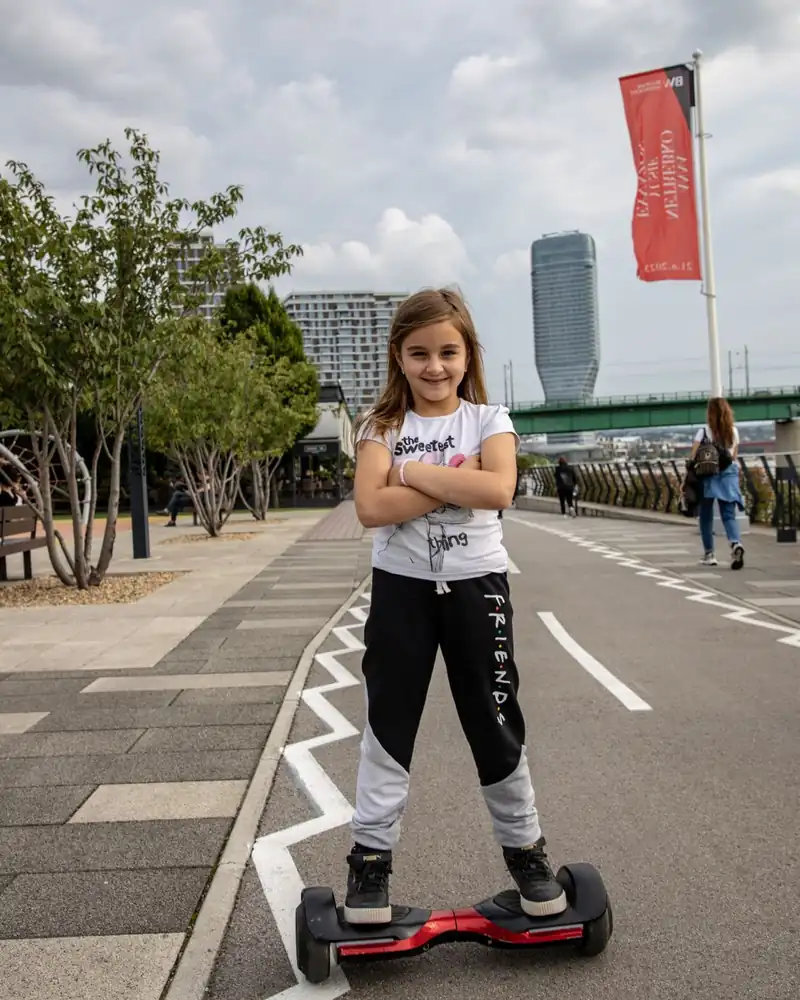
We handed the H1 to a 10-year-old who had never ridden before, set her up with a helmet and pads, and pointed her at a smooth driveway. She was wobbling for about ten minutes, then cruising confidently by the half-hour mark. The color-changing lights and the Bluetooth speaker were an instant hit, and she asked to keep riding until the battery ran low.
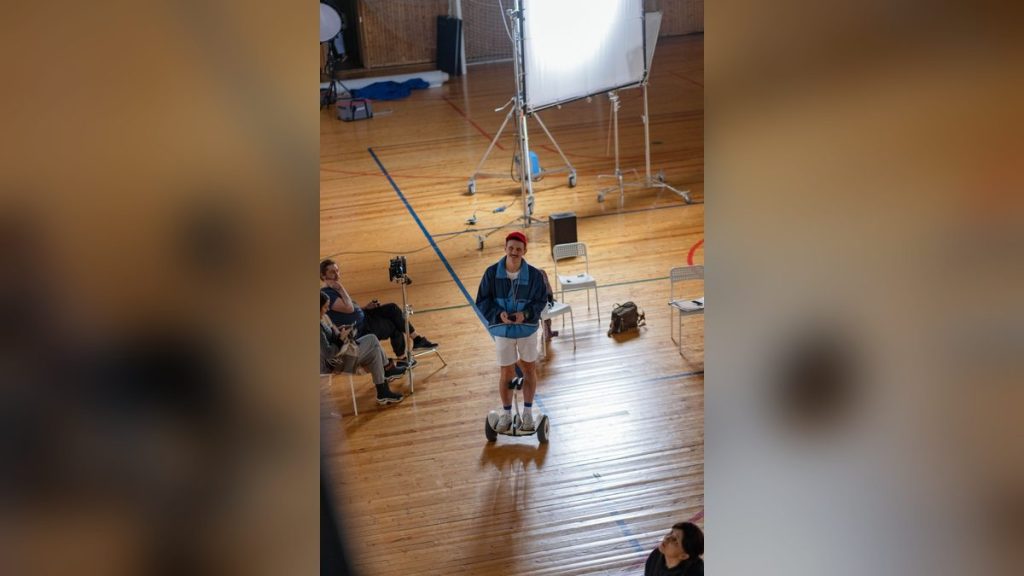
An adult in the house, around 185 pounds, gave it a try too. Top speed felt closer to 8 mph than the rated 9, and a full charge got roughly 6 miles of mixed sidewalk riding before it needed a top-up. That lined up with our expectations for a board this size, and for casual neighborhood laps it was more than enough.
Frequently Asked Questions
Yes, the Hover-1 H1 is a good hoverboard for beginners, kids, and casual riders on a budget. It’s UL 2272 safety certified, easy to learn on thanks to self-balancing sensors, and it includes fun extras like a Bluetooth speaker and app-controlled LED lights. It’s not built for off-road or long daily commutes, but for smooth-surface fun it offers strong value.
The Hover-1 H1 has a top speed of up to 9 mph. In real-world riding, most people see closer to 7 to 8 mph depending on rider weight and terrain. That speed is quick enough to feel exciting but slow enough that beginners can stay in control and learn safely.
Yes, the Hover-1 H1 is a great choice for kids, generally ages 8 and up, who meet the weight range. The step-on sensors self-balance the board, so most kids are riding within 30 minutes. Just start them with a helmet plus knee and elbow pads, and supervise the first few rides on a flat, open surface.
The Hover-1 H1 offers up to 9 miles of range per charge and fully recharges in about 3.5 hours. Real-world range is usually around 5 to 7 miles depending on rider weight, speed, and terrain. Charge it on a hard surface, stay nearby, and unplug it once it’s full to keep the battery healthy.
Yes, the Hover-1 H1 is UL 2272 certified, which is the key safety standard for hoverboards. This certification means the battery, charger, and electrical system were tested to guard against overheating and fire. Combined with its gentle 9 mph top speed and self-balancing sensors, it’s a safe pick for new riders when you also wear proper gear.
The Hover-1 H1 carries a list price of $249.99, but it’s frequently found at retailers for less, often in the $150 to $200 range. For that money you get a UL-certified board with a speaker, LED lights, and app control, which makes it one of the better value starter hoverboards. If you want off-road ability or long-range commuting, spend more on a bigger board instead.
Final Checklist ✅
- ✅ Confirm the board is UL 2272 certified before buying (the H1 is)
- ✅ Check the rider fits the 45 to 264 lb weight range
- ✅ Fully charge the battery for about 3.5 hours before the first ride
- ✅ Grab a helmet, plus knee and elbow pads for beginners
- ✅ Pick a flat, smooth, open area to learn, away from traffic and water
- ✅ Practice stepping on, stopping, and slow turns before adding speed
- ✅ Download the Hover-1 app if you want to customize the LED lights