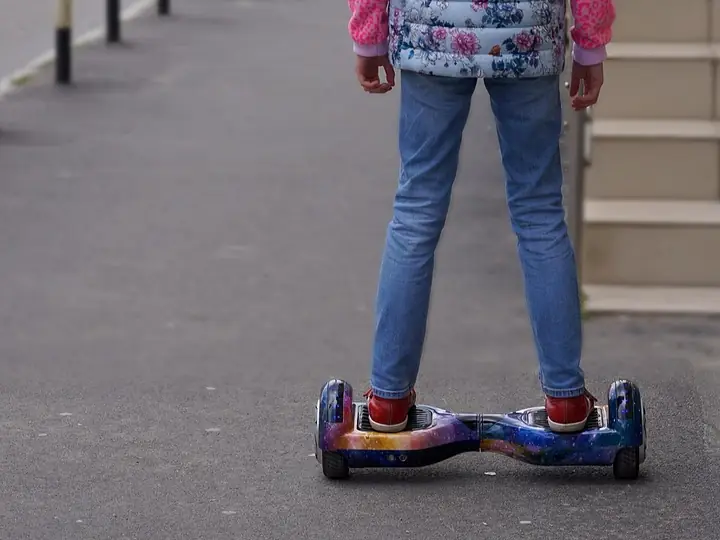
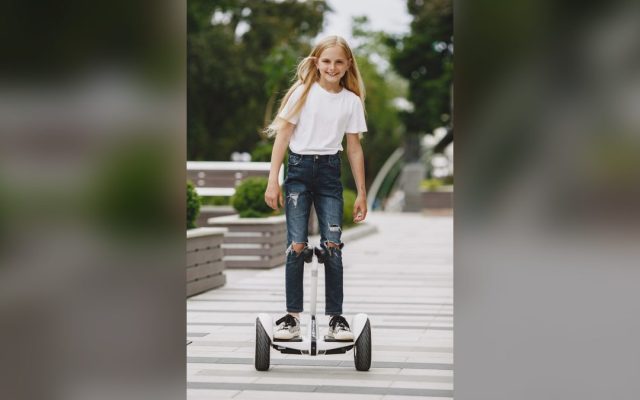
Safe, beginner-friendly hoverboards your 8-year-old will actually ride every day — plus the speed, weight, and safety features that really matter.
Hunting for the best hoverboard for an 8 year old? You’re in exactly the right place. Age eight is one of the best times to get a child their first self-balancing board. By this age, most kids have the coordination, balance, and attention span to learn quickly and ride safely — something a 5- or 6-year-old often doesn’t have yet. The trick is picking a board built for a beginner, not a teenager or an adult thrill-seeker.
Here’s the honest truth: the flashiest, fastest hoverboard is almost never the right one for a young rider. What your 8-year-old actually needs is a UL 2272-certified board with 6.5-inch wheels, a beginner mode, and a gentle top speed of around 6 to 7 mph. Get those three things right and you’ve got a board that’s safe, easy to learn on, and genuinely fun — the kind of gift that gets ridden every single day instead of gathering dust in the garage.
In this guide we’ll walk through exactly what to look for, compare the best kids’ hoverboards you can buy in 2026, break down safety gear and setup, and answer the questions every parent asks before they hit ‘buy.’ Let’s find the right one for your rider.
This article is part of our hoverboard buying guide, which brings together every hoverboard guide on the site.
What Makes a Hoverboard Right for an 8-Year-Old?
Not all hoverboards are built for kids, even the ones covered in rainbow LEDs. The single most important spec is the wheel size. For an 8-year-old, you want 6.5-inch wheels. They’re lighter, sit lower to the ground, and turn with less effort, which makes them far easier for small feet to control. The bigger 8.5-inch off-road boards look cool, but they’re heavier, faster, and built for grass and gravel — too much board for a first-time young rider.
Next comes the beginner or training mode. This is the feature that separates a great kids’ board from a frustrating one. Beginner mode slows everything down and softens how the board responds, so your child can find their balance without it darting forward every time they lean. Some boards, like the Gyroor G11, let you switch between a child mode and an adult mode right from a phone app. Others build a slower learning mode straight into the board. Either way, it’s a must-have for a young rider.
Finally, think about speed and weight. A top speed of 6 to 7 mph is plenty for an 8-year-old — that’s a brisk jog, and it feels quick when you’re two inches off the ground. You also want a weight limit that comfortably fits your child today with room to grow. Most quality kids’ boards support up to 176 or 220 pounds, so a single hoverboard can easily last from age 8 well into the teen years.
- 6.5-inch wheels — lighter and easier to steer than 8.5-inch off-road boards
- UL 2272 safety certification, printed on the box and the charger
- A beginner or training mode, ideally with an app-based speed limit
- A gentle top speed around 6-7 mph
- A weight limit that fits your child now and for years of growth
- Non-slip footpads and clear LED battery indicators
| Model | Top Speed | Weight Limit | Range | Wheels | Approx. Price |
|---|---|---|---|---|---|
| Hover-1 Dream | 7 mph | 220 lb | 6 miles | 6.5″ | ~$120 |
| Gotrax Edge | 6.2 mph | 176 lb | 4 miles | 6.5″ | ~$90 |
| Gyroor G11 | 7.5 mph | 220 lb | 7.5 miles | 6.5″ | ~$150 |
| SISIGAD 6.5-inch | 6.2 mph | 220 lb | 5 miles | 6.5″ | ~$80 |
| Hover-1 My First | 5 mph | 80 lb | 3 miles | 6.5″ | ~$98 |

The Best Hoverboards for 8-Year-Olds in 2026
We focused on boards that are UL 2272 certified, easy for beginners, and sized right for a young rider. Every pick below has 6.5-inch wheels and a top speed that won’t send your 8-year-old flying. Here are the ones worth your money in 2026, from our overall favorite to the best budget buy.
Hover-1 Dream — Best Overall
The Hover-1 Dream is our top pick, and it’s the one we’d hand most 8-year-olds. It’s officially rated for ages 8 and up, tops out at a manageable 7 mph, and carries riders up to 220 pounds, so it fits your child now and for years. The big win is the built-in rider modes — beginner through expert — which let a nervous first-timer start slow and dial up the speed only when they’re ready. Add color-changing LED lights, light-up wheels, and a price that usually sits around $120, and you’ve got a board kids actually want to ride. It’s UL 2272 certified, charges in about 4 to 5 hours, and weighs only about 17 pounds so your child can carry it themselves.
Gotrax Edge — Best Value
If you want a dependable board without spending much, the Gotrax Edge is hard to beat at roughly $80 to $100. It keeps the top speed to a gentle 6.2 mph, supports up to 176 pounds, and uses an active self-balancing system that helps new riders stay steady. The 44-pound minimum weight means most 8-year-olds are heavy enough to make it balance properly. Range is on the shorter side at about 4 miles, but that’s plenty for driveway laps and trips around the block. The UL 2272-certified battery gives you peace of mind at a friendly price.
Gyroor G11 — Best App Control
The Gyroor G11 is the pick for parents who want a literal speed dial. Its companion app lets you switch between a slower child mode and a full-speed adult mode, adjust the LED lights, and cap how fast the board will go — so you stay in charge as your child’s confidence grows. It rolls on 6.5-inch wheels, carries up to 220 pounds, and covers an impressive 7-plus miles per charge. There’s even a Bluetooth speaker built in. It usually runs around $130 to $160, and yes, it’s UL 2272 certified.
SISIGAD 6.5-inch — Best Budget Pick
SISIGAD is one of the most popular budget brands for a reason. Its 6.5-inch board keeps speed to about 6.2 mph, supports up to 220 pounds, and often sells for well under $100. You still get LED light-up wheels, a UL 2272 certification, and dual motors that handle smooth pavement nicely. It’s light at around 15 pounds, so it’s easy for a kid to carry. Just know the range is about 5 miles and it’s built for flat, paved surfaces rather than grass or bumps.
Hover-1 My First Hoverboard — Best for Small or First-Time Riders
For a petite 8-year-old, or one who’s never balanced on anything before, the Hover-1 My First is a gentle place to start. It caps out at just 5 mph, has a low learning curve, and is designed for young beginners. The catch is the 80-pound weight limit, so a bigger or older child will outgrow it quickly — but for a small, cautious first-timer, that slow, forgiving ride can be exactly what builds confidence. It usually costs under $100.
Safety First: UL 2272, Helmets, and Ground Rules
Let’s talk about the spec that matters more than speed, range, or lights combined: UL 2272 certification. This is the safety standard created after the cheap, no-name hoverboards of years past became infamous for catching fire while charging. A UL 2272 certification means the board’s whole electrical system — battery, charger, and wiring — has been independently tested and passed. Every board in this guide has it. If a listing is vague about certification or the price seems too good to be true, walk away. This is the one thing you never compromise on for a child’s board.
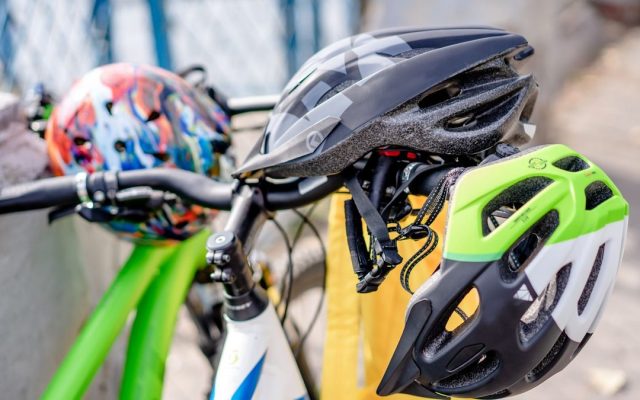
Gear is the next non-negotiable. The most common hoverboard injuries are to the wrists, followed by the head, so a helmet and wrist guards do the heavy lifting. Add knee and elbow pads and you’ve covered nearly every fall. Make it a simple, unbreakable house rule from day one: no helmet, no riding. Kids accept it far more easily when it’s just how things work from the very first ride, rather than a battle you start later.
Finally, set the ground rules. Kids under 10 should be supervised, especially in the first few weeks. Keep early rides away from traffic, stairs, water, and slopes. A flat driveway, an empty basement, or a smooth patio is ideal. And no phones or snacks while riding — two hands free and full attention until they’re genuinely confident.
- Helmet — protects the head; the single most important piece of gear
- Wrist guards — wrists are the most commonly injured body part on a hoverboard
- Knee pads and elbow pads — cover the most likely scrape zones
- Closed-toe shoes — never let them ride barefoot or in sandals
Speed, Weight Limits, and the ‘Too Light’ Problem
Here’s something most buying guides skip: your 8-year-old can actually be too light for a hoverboard. Most self-balancing boards need around 44 pounds of rider weight to activate their balancing sensors properly. The average 8-year-old weighs somewhere between 50 and 60 pounds, so this usually isn’t an issue — but if your child is small or petite, sitting right around 44 pounds, a standard board may feel twitchy or struggle to balance. In that case, a board designed for younger, lighter kids (like the Hover-1 My First) can be a smoother fit.
On the other end, the maximum weight limit is about buying for the future. An 8-year-old grows fast. A board rated to 220 pounds costs roughly the same as one rated to 80, but it’ll still fit them as a teenager. Unless you specifically want a tiny starter board for a small child, choose the higher weight limit and get years more use out of it.
As for speed, don’t be tempted by big top-speed numbers. Six to seven miles per hour feels genuinely fast when you’re standing on a board a couple of inches off the pavement. Boards with a beginner mode or an app-based speed cap are ideal because you can start your child at a crawl and raise the ceiling only as their balance improves. Save the 10 mph off-road monsters for when they’re older and far more experienced.
- Minimum weight: most boards need about 44 lb of rider to balance well
- Average 8-year-old: roughly 50-60 lb, so usually well within range
- Petite riders near 44 lb: consider a board built for lighter, younger kids
- Maximum weight: pick 176-220 lb to allow for years of growth
- Top speed: 6-7 mph is ideal; save 8 mph and up for older, experienced riders
Teaching Your 8-Year-Old to Ride (The First Week)
The first ride sets the tone, so make it easy and low-pressure. Start indoors on carpet — it’s soft if they slip, and the board moves a little slower on the extra friction. Stand your child next to a wall, a couch, or a sturdy chair they can hold. Have them step onto one footpad first, get steady, then bring the second foot up. The instinct will be to look down at their feet; gently remind them to look ahead, keep their knees soft, and stand tall. Balancing gets dramatically easier the moment they stop staring at the ground.
Movement comes from a tiny lean, not a big shift. A slight forward lean rolls them forward, a slight back lean slows and reverses, and turning comes from gently pressing one toe or heel. Keep the first sessions short — 10 to 15 minutes is plenty before little legs get tired and frustrated. Most 8-year-olds are cruising confidently within a day or two, and the ones who start slow and steady tend to learn faster than the ones who rush.
Once they’re steady indoors, move to a flat, smooth outdoor surface with plenty of open space and no traffic. Teach them to step off backward, one foot at a time, rather than jumping off the front — jumping forward is how most beginners take a tumble. Celebrate the small wins. Confidence is the real skill here, and it builds fast when the early rides feel safe and fun.
How Much Should You Spend?
The sweet spot for a quality kids’ hoverboard in 2026 is roughly $80 to $160. In that range you get everything an 8-year-old needs: UL 2272 certification, 6.5-inch wheels, a beginner-friendly ride, LED lights, and a brand that stands behind its product. Our top pick, the Hover-1 Dream, lands right in the middle at about $120, which is why it’s such an easy recommendation.
You’ll see hoverboards listed for $50 or less, and it’s tempting. Be careful. Rock-bottom boards are where you find vague or missing safety certifications, weak batteries that fade after a few months, and no real warranty or customer support. For something your child stands on and rides regularly, the extra $30 to $50 buys real peace of mind. On the flip side, you don’t need to spend $200 or more — those premium off-road and long-range boards are built for teens and adults, not young beginners.
One last tip: budget a little extra for a helmet and pads. A decent set runs $25 to $40 and is worth every penny. Factor it into the total from the start so the safety gear arrives in the same box, ready for that very first ride.
- Under $70: risky — often uncertified or poorly supported; best avoided for kids
- $80-$130: the sweet spot — certified, beginner-friendly brands like Hover-1, Gotrax, and SISIGAD
- $130-$180: premium kids’ boards with app control and extras, like the Gyroor G11
- $200 and up: off-road and adult performance boards — overkill for a first-time 8-year-old
| Feature | Why It Matters for an 8-Year-Old | What to Look For |
|---|---|---|
| UL 2272 certification | Prevents battery and charger fires | Printed clearly on the box and charger |
| Beginner / training mode | Limits speed and softens response while learning | Named ‘beginner’ mode, an app slider, or dual child/adult mode |
| 6.5-inch wheels | Lighter and easier for small feet to steer | Avoid 8.5-inch off-road for a first board |
| Gentle top speed | Keeps the ride controllable and safe | Around 6-7 mph, not 10 mph+ |
| Weight capacity | Fits your child now and as they grow | 176-220 lb max, about 44 lb minimum |
| LED lights / Bluetooth | Fun features mean more practice | Nice-to-have, not a dealbreaker |
| Gear | What It Protects | Priority |
|---|---|---|
| Helmet | Head and skull | Must-have |
| Wrist guards | Wrists (most common injury) | Must-have |
| Knee pads | Knees | Highly recommended |
| Elbow pads | Elbows | Recommended |
| Closed-toe shoes | Feet and toes | Always |
Common Mistakes (and How to Fix Them)
Fix: Only buy hoverboards that clearly state UL 2272 certification on the box and charger. It means the battery and charging system passed independent fire-safety testing — the one spec you never skip for a child’s board.
Fix: Choose a 6.5-inch board with a 6-7 mph top speed for a first-timer. The bigger, faster off-road models are heavier and harder to control, and they overwhelm young beginners. Save them for older, experienced riders.
Fix: Have the helmet, wrist guards, and pads ready in the same box as the board, and make ‘no helmet, no riding’ a rule from ride one. Supervise closely for the first few weeks, especially outdoors.
Fix: Most boards need about 44 lb of rider weight to balance well. If your 8-year-old is petite and close to that number, pick a board designed for lighter, younger kids so it balances smoothly instead of feeling twitchy.
Pro Tips
- 💡 Start the very first ride indoors on carpet, next to a wall or sturdy chair your child can grab for balance.
- 💡 Charge the board fully before the first ride, then unplug it once it’s full — never leave it charging overnight or unattended.
- 💡 If the board has an app or beginner mode, cap the speed low to start and raise it only as your child’s balance improves.
- 💡 Teach your child to step off backward, one foot at a time — jumping off the front is how most beginners fall.
- 💡 Keep early practice sessions to 10-15 minutes so little legs don’t get tired and frustrated before it clicks.

An Example Scenario
Illustrative example: a composite of situations riders often describe, not a real customer story.
Picture an 8-year-old getting a Hover-1 Dream for a birthday and feeling nervous. Start in beginner mode on carpet, holding the back of a couch. Most kids wobble for about ten minutes, then something clicks, and by the end of the weekend they’re doing smooth laps around the driveway, helmet on. The adjustable speed is the hero: keep it slow for the first week, then let it speed up once their balance is solid.
The one thing we’d tell any parent is to buy the pads at the same time as the board. Beginners take a couple of harmless tumbles that first day; with wrists and knees covered, they pop right back up and don’t get scared off. Gear isn’t just protection — it’s what keeps a nervous beginner brave enough to try again.
Frequently Asked Questions
The Hover-1 Dream is our top pick for most 8-year-olds. It’s officially rated for ages 8 and up, keeps the top speed to a gentle 7 mph, carries riders up to 220 pounds so it lasts for years, and includes beginner-to-expert modes that let a first-timer start slow. It’s UL 2272 certified and usually costs around $120. For a tighter budget, the Gotrax Edge and the SISIGAD 6.5-inch are great cheaper options.
Yes, a UL 2272-certified hoverboard is safe for an 8-year-old when they wear proper gear and are supervised. Eight is the age most manufacturers and safety experts recommend as a minimum, because kids this age usually have the balance and coordination to ride well. Always insist on a helmet and wrist guards, start in a beginner mode, and keep early rides away from traffic, stairs, and slopes.
A top speed of 6 to 7 mph is ideal for an 8-year-old. That may not sound like much, but it feels quick when you’re standing a couple of inches off the ground. Boards with a beginner mode or an app-based speed limit are best, because you can start your child at a slow crawl and increase the speed only as their confidence and balance grow. Avoid 10 mph off-road boards until they’re older and experienced.
Look for a maximum weight limit of 176 to 220 pounds, even though your 8-year-old weighs far less. Buying a higher limit costs about the same and lets the board fit your child for years as they grow. Just as important is the minimum weight — most boards need around 44 pounds of rider to balance properly, so a very petite child may do better on a board built for lighter, younger riders.
A quality kids’ hoverboard costs about $80 to $160 in 2026. In that range you get UL 2272 certification, 6.5-inch wheels, a beginner-friendly ride, and a reliable brand. Our top pick, the Hover-1 Dream, sits right around $120. Be cautious of boards under $70, which often skip proper safety certification, and skip the $200-plus off-road models, which are built for teens and adults rather than young beginners.
Absolutely — a helmet is essential every single time your child rides. Wrist guards are just as important, since wrists are the most commonly injured body part on a hoverboard, followed by knees and elbows. Make ‘no helmet, no riding’ a firm house rule from the very first ride. Kids accept it easily when it’s simply how riding works from day one.
Final Checklist ✅
- ✅ Confirm the board is UL 2272 certified (check the box and the charger)
- ✅ Pick 6.5-inch wheels for lighter weight and easier steering
- ✅ Choose a board with a beginner mode or an app-based speed limit
- ✅ Check the weight limit fits your child now and allows for growth (176-220 lb max)
- ✅ Buy a helmet, wrist guards, and knee/elbow pads at the same time
- ✅ Charge the board fully before the first ride, then unplug it
- ✅ Plan the first ride indoors on carpet, with close supervision