Steady, beginner-friendly, and simple to steer. Here's how to pick the right hoverboard with a handle for you or your kids.
A hoverboard with a handle takes the wobbly part out of learning. Instead of trusting your ankles to keep you upright from the very first second, you get a bar to press, steer, or hold. That one change makes riding feel safe instead of scary, which is exactly why so many families search for a hoverboard with a handle in the first place.
But here’s the catch: the phrase means a few different things. Sometimes it’s a self-balancing scooter with a padded knee bar, like Segway’s Ninebot S. Sometimes it’s a kids’ board with a tall grab handle. Sometimes it’s just a fold-down carry grip, or a clip-on bar you add yourself. They are not the same, and picking the wrong one is how people end up disappointed.
This guide sorts it all out in plain English. You’ll learn the types of handles, why they make riding easier, how to ride and steer one, what specs actually matter, and which real models are worth buying in 2026. Whether you’re shopping for a nervous first-timer, a young kid, or an older rider who wants extra stability, there’s a right pick here for you.
This article is part of our hoverboard buying guide, which brings together every hoverboard guide on the site.
What “Hoverboard With a Handle” Really Means
Here’s the confusing part. “Hoverboard with a handle” isn’t one single product. It’s a phrase people use for a few different machines, and knowing the difference saves you money and heartache.
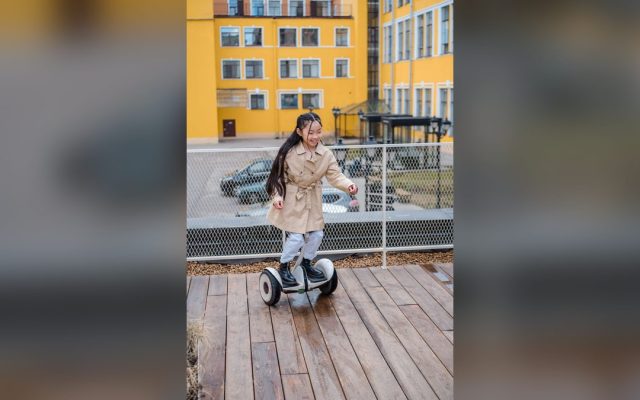
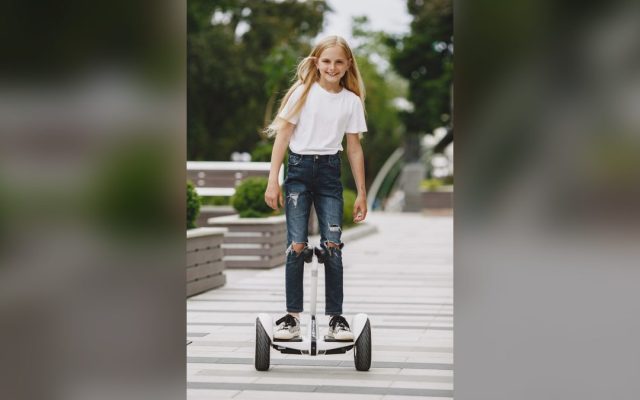
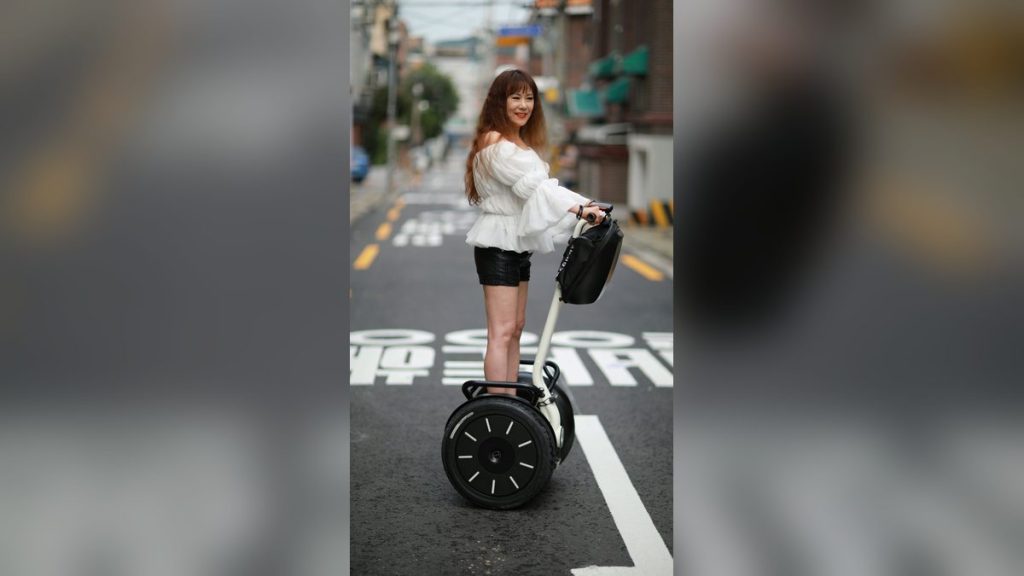
The most common meaning is a self-balancing scooter with a knee-control bar. Segway’s Ninebot S family is the star here. A padded post rises up between your legs and balances itself. You never hold it with your hands. You press it gently with your knees to turn. It looks a bit like a mini Segway, and that’s basically what it is.
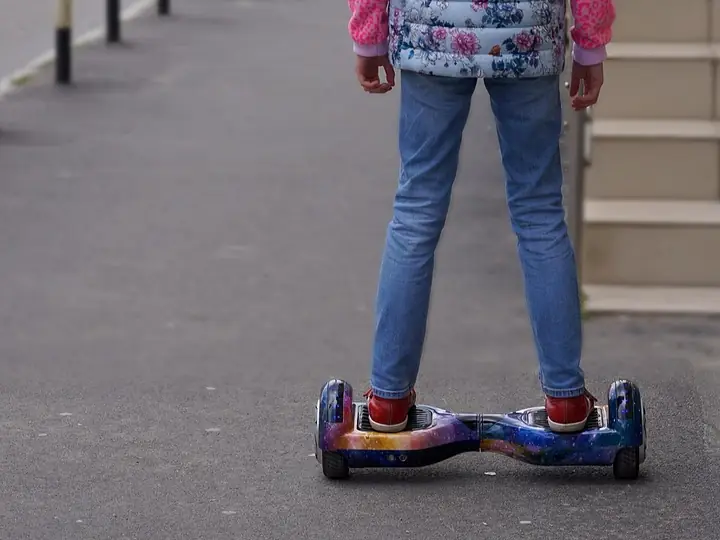
The second meaning is a kids’ hoverboard with a tall balance handle. This is a grab bar that sticks up high, giving nervous young riders something to hold while they learn. The third meaning is simpler still: a normal board with a fold-down carry handle so you can lug it up stairs. And the fourth is a standard hoverboard that you upgrade with a clip-on handlebar bought separately.
Most shoppers who type “hoverboard with handle” want option one or two, a board that feels steady from the very first ride. This guide covers all of them, but it leans into the knee-control and stability-handle styles, since those are the ones that make the biggest real-world difference.
| Model | Handle Type | Top Speed | Range | Max Load | Approx. Price |
|---|---|---|---|---|---|
| Segway Ninebot S | Knee control bar | 10 mph | 13.7 mi | 220 lbs | ~$450 |
| Segway Ninebot S2 | Knee control bar | 11 mph | 21.7 mi | 220 lbs | ~$520 |
| Segway Ninebot S-Plus | Knee bar + remote | 12.5 mph | 22 mi | 220 lbs | ~$680 |
| Segway Ninebot S MAX | Hand steering wheel | 12.4 mph | 23.6 mi | 220 lbs | ~$860 |
| Hover-1 My First (kids) | Balance handle | 5 mph | 3 mi | 160 lbs | ~$100 |

The Types of Handles You’ll See
Not all handles do the same job. Some steer the board, some only give support, and some just help you carry it. Here’s how each one works so you can match it to how you’ll actually ride.
- Want the most natural adult ride? Choose a knee control bar.
- Nervous, older, or recovering from an injury? A hand steering wheel feels safest.
- Buying for a young child? Look for a tall balance handle and a 5 to 6 mph speed cap.
- Already own a board? A bolt-on bar or a carry handle may be all you need.
Knee control bar
The classic. A padded, self-balancing post sits between your knees. Lean it left or right with your legs and the board turns, while your hands stay free. This is what the Segway Ninebot S, S2, and S-Plus use, and it feels the most natural for most adults.
Hand steering wheel
A taller column topped with a small wheel you turn by hand, like the Ninebot S MAX. It sits around waist height and gives extra reassurance, which older riders and cautious beginners tend to love.
Kids’ balance handle
A simple grab handle that rises high enough for a child to hold while learning. It doesn’t really steer the board, it gives confidence, so a new rider can find their balance without face-planting.
Carry handle
Not for riding at all. This is a fold-out grip built into the board so you can lift its 20-to-30-pound bulk onto a bus or up the stairs. Handy, but don’t confuse it with a steering handle.
Aftermarket bolt-on bar
A clamp-on handlebar you buy separately and attach to a standard board. It’s the budget way to add a steering or grab bar to a hoverboard you already own.
Why a Handle Makes Riding Easier
A regular hoverboard asks a lot on day one. You step onto two spinning pads and instantly trust your ankles to keep you upright. Plenty of people fall in the first minute. A handle rewrites that story.
First, it shortens the learning curve. The bar gives you a stable point of contact, so your body relaxes and your feet can feel out the balance point without panic. Most riders are cruising in minutes instead of days.
Second, steering gets precise. Pressing a knee bar or turning a wheel is far more intuitive than the subtle heel-and-toe pressure a bare board needs. You point where you want to go and the board follows.
Third, it’s easier on your body. Getting on and off feels controlled, not like a leap of faith. That matters for kids, older riders, and anyone rebuilding confidence after a spill. Lifting the board is easier too, since the column doubles as a grab point.
How to Ride a Knee-Control Hoverboard
Riding one is simple once you know the steps. Give yourself a smooth, flat, open space with no traffic. A driveway, an empty garage, or a quiet path all work well.
Take it slow the first time. Here’s the routine that works for almost everyone:
- Power on and let the board balance itself. The knee bar should stand upright on its own.
- Stand close with one hand on a wall or rail. Place one foot on a pad, keeping the column between your legs.
- Bring your second foot up smoothly and stand tall. Let the board settle you level.
- To move, lean your weight gently forward from the ankles, not the waist. Ease back to slow and stop.
- To turn, press the bar left or right with your knees. Small nudges, not big shoves.
- To get off, slow to a full stop, then step backward off one pad at a time.
What to Look For Before You Buy
A handle is only half the decision. The board underneath it still has to be safe, comfortable, and the right size for the rider. Here’s what actually matters when you compare models.
- UL2272 certification. This is non-negotiable. It means the battery and charger passed fire-safety testing. Skip any board that doesn’t clearly claim it.
- Tire size and type. Ten-inch air-filled (pneumatic) tires soak up cracks and handle grass. Small 6.5-inch solid tires are fine for smooth indoor floors only.
- Top speed. Around 6 mph is plenty for kids. Adults are well served by 10 to 12 mph. Faster is not safer.
- Range. Look for 8 to 14 miles if you’ll commute or cruise. Kids’ boards with a 3-mile range are fine for backyard laps.
- Weight limit. Most adult models cap at 220 lbs. Add your gear and backpack when you check the number.
- Handle height. Taller riders should look for adjustable columns, since fixed knee bars can hit the calves awkwardly above six feet.
- App features. A companion app that sets speed limits, locks the board, and updates firmware adds real value, especially for parents.

Best Hoverboards With Handles in 2026
These are the models worth your money right now. Prices move around, so treat the numbers as ballparks, but the picks themselves are solid.
Segway Ninebot S – best all-around
The one to beat. A self-balancing knee bar, dual 400W motors, 10.5-inch air tires, and a genuine 10 mph top speed. It handles sidewalks, driveways, and light grass, and an optional Gokart kit turns it into a seated racer. Around $450 and UL2272 certified.
Segway Ninebot S2 – more range
A newer sibling of the S with a bigger battery, roughly 21 miles of range and about 11 mph. Same friendly knee-control feel, just better for longer rides. Around $520.
Segway Ninebot S-Plus – remote and follow mode
Bigger and faster at 12.5 mph, and it ships with a remote plus an auto-follow mode that lets the board trail behind you. Fun for filming or hauling a light load. Around $680.
Segway Ninebot S MAX – hand steering wheel
Instead of a knee bar, the S MAX uses a waist-high hand steering wheel for maximum stability. Great for cautious or older riders, with the longest range of the family at roughly 23 miles. Around $860.
Hover-1 My First – best for young kids
A budget starter with a tall balance handle, a gentle 5 mph cap, and a light 3-mile range. Built for riders as young as five, usually around $100.
Can You Add a Handle to a Hoverboard You Own?
Maybe you already own a standard board and just want the handle benefits. Good news: for many boards, you can bolt one on.
Companies like GLDYTIMES, WELLSTRONG, ToLanbbt, and GYL sell clamp-on handlebars, mostly for Segway’s mini models and common 6.5- to 8.5-inch boards. They attach with a couple of screws in a few minutes, and many switch between a knee-control mode and a taller hand grip. Expect to pay somewhere between $25 and $60.
- Check compatibility first. The listing should name your exact board model. A bar that doesn’t clamp tightly is dangerous.
- Treat a bolt-on bar as a steering and confidence aid, not a weight-bearing crutch. Don’t hang your full weight on it.
- A carry handle is a different add-on. If you only want to lift the board more easily, that’s a cheaper, simpler accessory.
- If your board isn’t UL2272 certified, a new handle won’t fix the real problem. Consider upgrading the whole board instead.
| Handle Type | How It Works | Best For |
|---|---|---|
| Knee control bar | Padded bar between the legs; press with knees to steer | Adults, commuters, all-around riders |
| Hand steering wheel | Waist-high column with a wheel you turn by hand | Nervous beginners and older riders |
| Kids’ balance handle | Tall grab handle for support while learning | Young or first-time riders |
| Carry handle | Fold-out grip for lifting the board | Carrying on transit or up stairs |
| Aftermarket bolt-on | Clamp-on bar added to a standard board | Upgrading a board you already own |
| Spec | Why It Matters | Good Target |
|---|---|---|
| Safety cert | Fire-safe battery and charger | UL2272 certified |
| Tire size | Ride comfort and terrain | 10″+ pneumatic for adults |
| Top speed | Control vs. thrill | 6-8 mph kids, 10-12 adults |
| Range | Distance per charge | 8-14 miles for commuting |
| Max load | Fits the rider | Rider weight + backpack |
| Handle height | Comfort for taller riders | Adjustable if possible |
Common Mistakes (and How to Fix Them)
Fix: The knee bar steers, it doesn’t hold you up like a scooter. Keep your weight in your feet and use light knee pressure to turn. Bear-hugging or leaning hard on the column makes the board twitchy and unstable.
Fix: Cheap no-name boards are the ones behind battery-fire stories. Only buy models that clearly state UL2272 certification, and always use the charger that came in the box.
Fix: Taller riders often find fixed knee columns hit the calves oddly. Check the max load (usually 220 lbs) and look for an adjustable-height handle if you’re over six feet.
Fix: Kids and first-timers should start in the app’s slowest mode on a smooth, flat surface. Only speed up once mounting, turning, and stopping feel automatic.

Pro Tips
- 💡 Practice your first 10 minutes next to a wall or countertop. One hand on the wall, step on, find the balance point, then let go.
- 💡 Charge to 100% before the first ride, and try not to run the battery to zero. Boards get jerky and less stable when nearly empty.
- 💡 Always gear up. A helmet plus wrist guards prevents the most common hoverboard injuries, even at low speed.
- 💡 Use the companion app to lock in a beginner speed cap for kids, then raise it as they improve.
- 💡 If you love the Ninebot S, the clip-on Gokart seat kit is a cheap way to add years of fun without buying a new machine.
An Example Scenario
Illustrative example: a composite of situations riders often describe, not a real customer story.
Picture a parent who buys a standard hoverboard for an 8-year-old, only to see it sit in the closet after two tearful falls. Swapping it for a Ninebot S with the knee bar can change everything: the bar gives the child something to hold while their feet learn the balance. The handle doesn’t do the balancing for them, it takes away the fear.
Or picture a rider in his 60s, recovering from knee surgery, who finds the S MAX’s hand-steering column the only self-balancing device he feels safe on. He rides it to the mailbox and back every day, and the waist-high wheel is what sells him.
Frequently Asked Questions
It’s usually called a knee control bar or steering column. On Segway’s Ninebot S line, a padded bar rises up between your legs, and you steer by pressing it left or right with your knees or calves. Some models, like the Ninebot S MAX, use a taller hand-operated steering wheel instead. Both are self-balancing, so the bar stands upright on its own without you holding it.
Yes, for most people they’re noticeably easier. The handle gives you something to hold while your feet learn the balance point, which shortens the scary part of the learning curve. It also makes steering more precise and getting on or off feel safer. That’s exactly why they’re popular with kids, older riders, and anyone nervous about traditional foot-only boards.
Often, yes. Brands like GLDYTIMES and WELLSTRONG sell clamp-on handlebars that fit many standard 6.5- to 8.5-inch boards and Segway’s mini models. They add a steering or carry bar in a few minutes with a couple of screws. Just check that the attachment lists your exact model as compatible, and never lean your full weight on a bolt-on bar.
They’re one of the best ways to start. The handle helps young riders feel stable and confident, and models like the Hover-1 My First cap speed around 5 mph for safety. Look for UL2272 certification, a low top speed, and a weight limit that fits your child. Always add a helmet and wrist guards before the first ride.
It depends on the model. Kids’ handle boards top out around 5 to 6 mph. Adult knee-control models like the Segway Ninebot S reach about 10 mph, while the S-Plus and S MAX push 12 to 12.5 mph. You can usually lower the top speed in the companion app to make things gentler for beginners.
For a beginner-friendly hoverboard with a handle, it’s the class favorite. It’s well-built, UL2272 certified, and the self-balancing knee bar makes learning genuinely easy. It costs more than no-name boards, but the safety, ride quality, and Gokart upgrade path justify the price for most families.
Final Checklist ✅
- ✅ Confirm the board is UL2272 certified for battery and charger safety
- ✅ Check the max weight limit against the rider, plus any backpack
- ✅ Pick the handle type: knee bar for adults, hand wheel for extra stability, tall handle for kids
- ✅ Match tire size to your surface: 10 inches or more for cracks and grass
- ✅ Set a low beginner speed in the companion app before the first ride
- ✅ Grab a helmet and wrist guards before you unbox
- ✅ Charge to 100% and practice near a wall or rail