
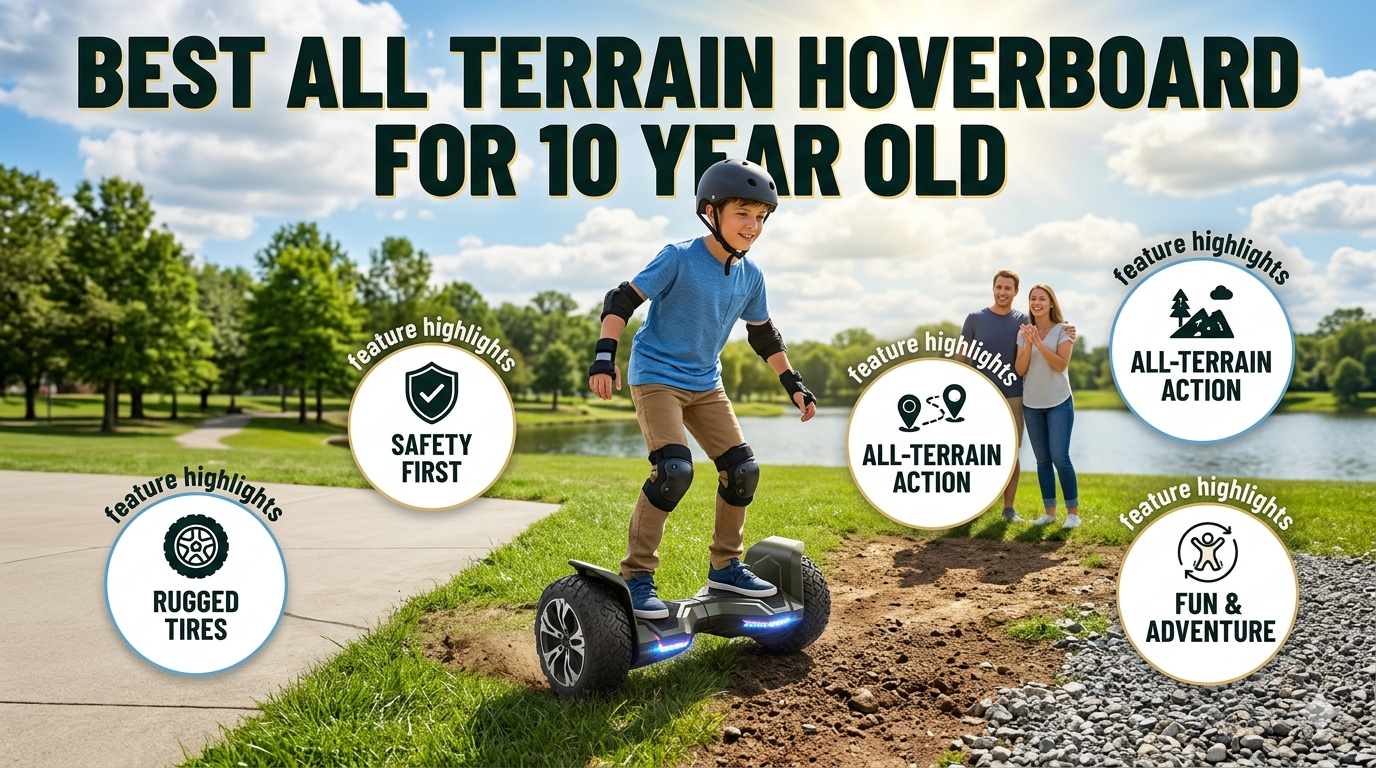
🛹 Best All-Terrain Hoverboard for 10-Year-Olds in 2026
Your complete, no-fluff buying guide — covering safety, top picks, terrain tips, and everything parents need to know before spending a single dollar.
Your 10-year-old has been asking for a hoverboard for months. Maybe they saw one at the park. Maybe a friend has one. And now you’re here — staring at dozens of options online, wondering which one is actually safe, actually worth the money, and actually fun on more than just a smooth driveway.
You’re not alone. This is one of the most searched kids’ toy questions of 2026, and for good reason. The hoverboard market is flooded with look-alike products, some great and some genuinely dangerous. One wrong choice and you’re dealing with a board that catches fire, breaks after two rides, or scares your child off hoverboards forever.
This guide cuts through all of that noise. We’ve researched the top-rated models, reviewed competitor guides, studied real parent reviews, and pulled expert safety data — so you don’t have to. By the end of this page, you’ll know exactly what to buy, what to avoid, and how to keep your child safe and smiling.
💡 What You’ll Learn
What makes a hoverboard truly “all-terrain”? · The #1 safety certification every board must have · Our top 5 picks with honest pros and cons · How to choose the right model for your child’s weight, skill level, and budget · Common parent mistakes to avoid · A full maintenance guide and final buying checklist.
📋 Table of Contents
- What Makes a Hoverboard “All Terrain”?
- Why All Terrain Hoverboards Are Perfect for 10-Year-Olds
- Key Safety Features Every Parent Must Check
- Top 5 Best All-Terrain Hoverboards for 10-Year-Olds (2026)
- Complete Buying Guide: What to Look For
- Terrain Compatibility: What Can These Boards Actually Handle?
- Protective Gear: Don’t Skip This Section
- How to Teach a 10-Year-Old to Ride Safely
- 7 Common Mistakes Parents Make (And How to Avoid Them)
- Maintenance Tips for Long-Lasting Performance
- Budget Guide: What $150 vs $300 Actually Gets You
- Frequently Asked Questions
- Final Buying Checklist
What Makes a Hoverboard “All-Terrain”?
You’ll see the words “all terrain” stamped on a lot of hoverboard boxes. But what does it actually mean? And does every board that claims to be all-terrain actually deserve that title? Let’s break it down clearly.
A true all-terrain hoverboard has three key differences from a standard model:
1. Larger, Chunkier Wheels
Standard hoverboards come with 6.5-inch smooth wheels — fine for gym floors and flat driveways. All-terrain models use 8.5 to 10-inch wheels with deep, aggressive tread patterns. Think of it like the difference between sneakers and hiking boots. The tread grips loose surfaces (grass, gravel, dirt), pushes through soft ground, and rolls over cracks and bumps that would completely stop a standard board.
Solid rubber tires are more durable and puncture-proof. Pneumatic (air-filled) tires absorb bumps better but can go flat. For kids, solid rubber tires on 8.5-inch wheels are usually the sweet spot — tough enough for rough play, low-maintenance, and stable.
2. More Powerful Motors
Standard hoverboards often use dual 200W motors (400W total). All-terrain models typically run dual 250W to 500W motors — totalling 500W to 1000W. That extra power matters when your child hits a patch of thick grass or a gentle slope. Without it, the board slows to a crawl, struggles, or stops completely.
For a 10-year-old, dual 300W-350W motors (600-700W total) are the ideal range. Powerful enough to handle real terrain, but not so aggressive that the board is hard to control for a young rider.
3. Reinforced Frame and Better Suspension
A true all-terrain board has a sturdier frame — usually aluminium alloy — to handle the vibration and stress of uneven surfaces. Some models include basic shock absorbers in the wheel housing, which smooth the ride over rough ground and reduce wear on internal components over time.
⚠️ Important Reality Check
Even the best “all-terrain” kids’ hoverboards are not true off-road machines. They handle short grass, packed dirt, gravel paths, and sidewalk cracks very well. But rocky trails, steep hills, muddy fields, or deep sand will challenge even the best boards. Set realistic expectations, and you won’t be disappointed.
Why All Terrain Hoverboards Are Perfect for 10-Year-Olds
Ten is a magic age for hoverboards. Here’s why this specific age group is perfectly matched with all-terrain models.
At 10, most kids have developed enough core strength and balance instinct to handle a self-balancing board. They’re past the wobbly-toddler stage but still young enough to pick up new physical skills quickly. They’re also at an age where outdoor exploration is at its peak — parks, neighbourhoods, backyards, and trails are their playground.
Standard hoverboards trap them on flat pavement. All-terrain models open the whole world. A 10-year-old on an all-terrain board can glide across the backyard, cruise the sidewalk, and transition onto a grassy park path without stopping — all in one ride. That kind of freedom builds confidence, promotes outdoor activity, and keeps them coming back for more.
Physical and Developmental Benefits
Hoverboarding isn’t just fun — it’s genuinely good for kids. Here’s what your child is developing every time they ride:
- Balance and coordination: The self-balancing mechanism constantly challenges the body’s stabilising muscles.
- Core strength: Staying upright and turning engages the abs, lower back, and hips.
- Spatial awareness: Navigating around objects and people sharpens their ability to judge distance and speed.
- Confidence: Mastering a new skill — especially one they can show off — builds real self-esteem.
- Outdoor time: In a world of screens, a hoverboard is one of the best reasons to go outside.
✅ Age-Appropriate Speed Guide
Beginner (first 1–2 weeks): Cap at 3–4 mph. Focus on balance, not speed. | Intermediate (1–3 months): Unlock up to 6 mph as turning and stopping improve. | Confident rider (3+ months): 7–9 mph is appropriate with full protective gear and parental approval.
Key Safety Features Every Parent Must Check
This is the most important section in this entire guide. Before you look at features, colours, or prices, you need to verify safety. Here’s what to check, and why each item matters.
🔒 UL 2272 Certification: Non-Negotiable
UL 2272 is the American safety standard for hoverboards. It tests the entire electrical system — battery pack, charging system, wiring, and power management — against strict fire and shock safety criteria. Since 2016, over 750,000 uncertified hoverboards have been recalled due to batteries that overheated, caught fire, or exploded. Every single recall involved non-certified boards.
🔥 Critical Warning
Never buy a hoverboard without UL 2272 certification — period. If you see a board under $120 with no certification mentioned, walk away. The savings are not worth the risk of a lithium battery fire in your home or near your child.
🎮 Speed Modes and Parental Controls
The best hoverboards for 10-year-olds include multiple speed modes. A dedicated beginner/training mode caps the speed at 3–4 mph and adds extra stability assistance — essential for the first few weeks. As your child improves, you can unlock higher modes.
Many 2026 models include a companion smartphone app. Through the app, parents can set maximum speed limits, monitor battery levels, track riding time, and, in some models, even see GPS location. This level of control is a genuine safety game-changer.
⚖️ Weight Limits: Both Minimum and Maximum
Most people only think about maximum weight limits. But minimum weight matters too. Hoverboards use foot-pressure sensors to detect when a rider steps on. If a child is too light (typically under 44 lbs), the sensors won’t engage properly, causing the board to behave erratically. Most 10-year-olds are well above this threshold, but it’s worth checking for smaller children.
Maximum weight limits for all terrain models typically range from 176 to 265 lbs. At 10 years old, this isn’t usually a concern, but if you’re buying a board the whole family might use, choose a model rated for 220 lbs or more.
🛡️ Non-Slip Foot Pads
This sounds minor, but it makes a real difference. Quality hoverboards use textured, rubberised foot pads that grip your child’s shoes even when the board tilts on uneven ground. Cheap boards use smooth plastic pads — and wet shoes on smooth plastic is a recipe for slipping off mid-ride.
🔦 LED Lights for Visibility
Headlights and taillights aren’t just cool — they help drivers and pedestrians see your child at dawn, dusk, or in low light. Look for boards with actual white-light headlights, not just decorative colored wheel LEDs.
Safety Feature Comparison: What to Expect by Price Range
| Safety Feature Budget | t ($140–180) | Mid-Range ($180–250) | Premium ($250–350) |
|---|---|---|---|
| UL 2272 Certification | ✅ Yes | ✅ Yes | ✅ Yes |
| Training/Beginner Mode | ⚠️ Basic | ✅ Yes | ✅ Advanced |
| App-Controlled Speed Limit | ❌ No | ⚠️ Some | ✅ Yes |
| Non-Slip Foot Pads | ⚠️ Basic | ✅ Yes | ✅ Premium |
| LED Safety Lights | ⚠️ Decorative | ✅ Functional | ✅ Full system |
| GPS / Location Tracking | ❌ No | ❌ Rare | ✅ Some models |
| Battery Overcharge Protection | ⚠️ Basic BMS | ✅ Advanced BMS | ✅ Premium BMS |
Top 5 Best All-Terrain Hoverboards for 10-Year-Olds (2026)
Based on our research, competitor analysis, parent reviews, and independent test data, here are the five best all-terrain hoverboards for 10-year-olds in 2026. We’ve focused on safety, real-world performance, and honest value.
| Rank | Model | Price Range | Motor Power | Max Speed | Range | Best For |
|---|---|---|---|---|---|---|
| 🥇 #1 | SISIGAD 8.5″ All Terrain | $180–220 | 700W (dual 350W) | 7.4 mph | Up to 10 miles | Best overall value |
| 🥈 #2 | Gyroor Y1S | $170–210 | 500W (dual 250W) | 7.2 mph | 5.3 miles tested | Best build quality for kids |
| 🥉 #3 | Razor Hovertrax DLX 2.0 | $200–250 | 600W | 8 mph | 1.5–2 hours | Best for beginners |
| #4 | Gyroor Warrior 8.5″ | $160–200 | 700W | 9.3 mph | 2–3 hours | Best speed for confident riders |
| #5 | TOMOLOO Eagle V2 | $150–190 | 700W | 7.5 mph | 2–4 hours | Best for fun features + style |
🥇 #1 — SISIGAD 8.5″ All Terrain Hoverboard
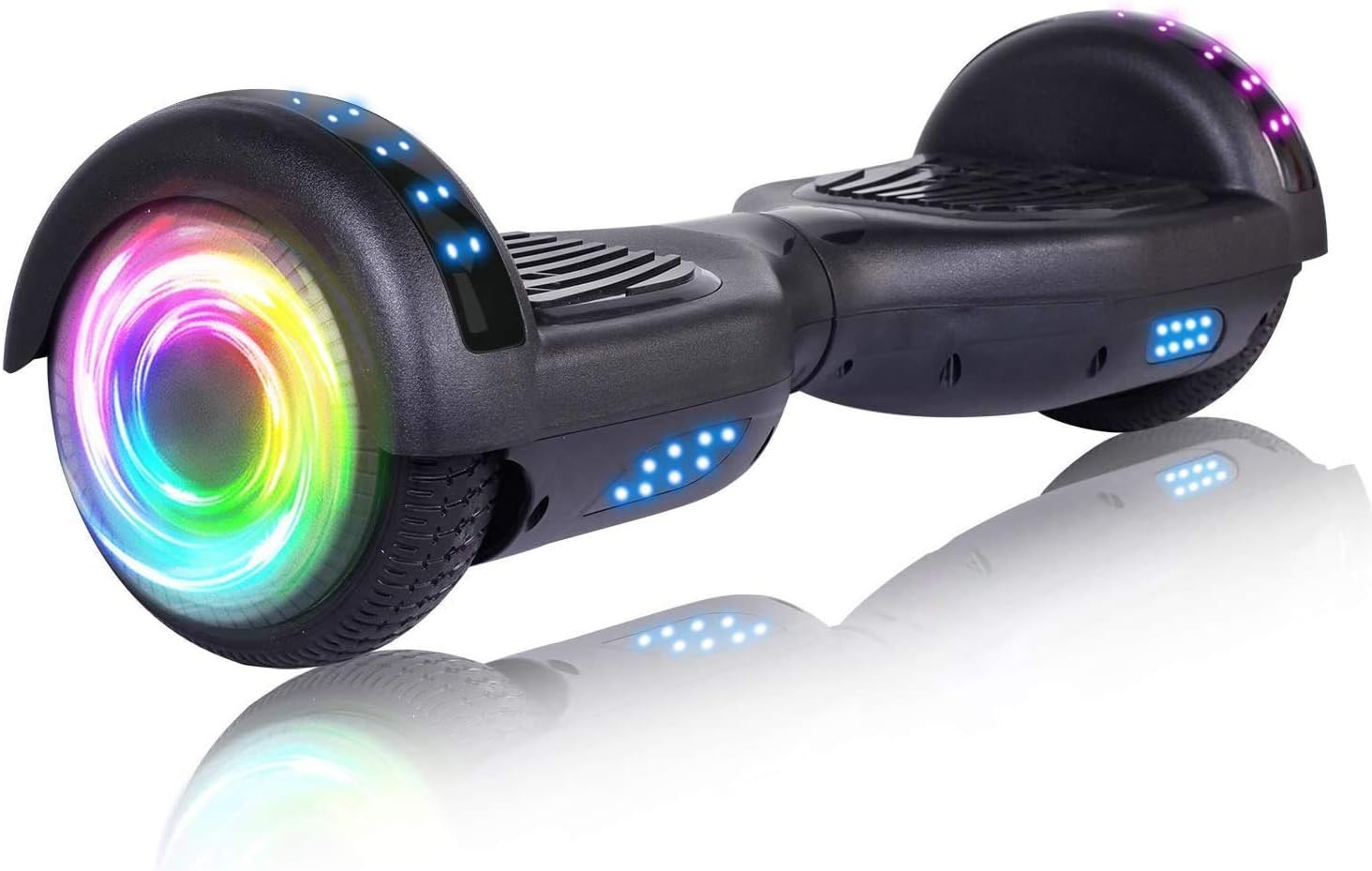
The SISIGAD takes our top spot for one simple reason: it delivers everything a 10-year-old needs and nothing they don’t — at a price parents can feel good about. The 8.5-inch solid rubber tires grip grass, gravel, and cracked sidewalks with genuine confidence. The dual 350W motors (700W total) provide smooth, responsive power without being intimidating for younger riders.
What really sets the SISIGAD apart is its attention to safety details. The UL 2272 certification is fully verified. The built-in battery management system (BMS) prevents overcharging and overheating. Bluetooth connectivity lets kids connect their music — a feature that genuinely keeps them riding longer and having more fun. The aluminium frame feels solid and has held up in long-term use testing.
The LED headlights and taillights aren’t just decorative — they produce enough light to actually improve visibility during dawn and dusk rides. The board charges in about 2 hours and delivers up to 10 miles of range on flat terrain, dropping to roughly 6–7 miles on mixed surfaces with a 10-year-old rider.
🏆 Expert Verdict
- Best for: Parents wanting the best overall combination of safety, terrain ability, and value
- Biggest strength: 10-mile range + solid all-terrain tires + full UL certification
- Watch out for: Heavier than some alternatives (~25 lbs) — small kids may struggle carrying it
- Our rating: ⭐⭐⭐⭐⭐ (5/5)
🥈 #2 — Gyroor Y1S (Best Build Quality for Kids)
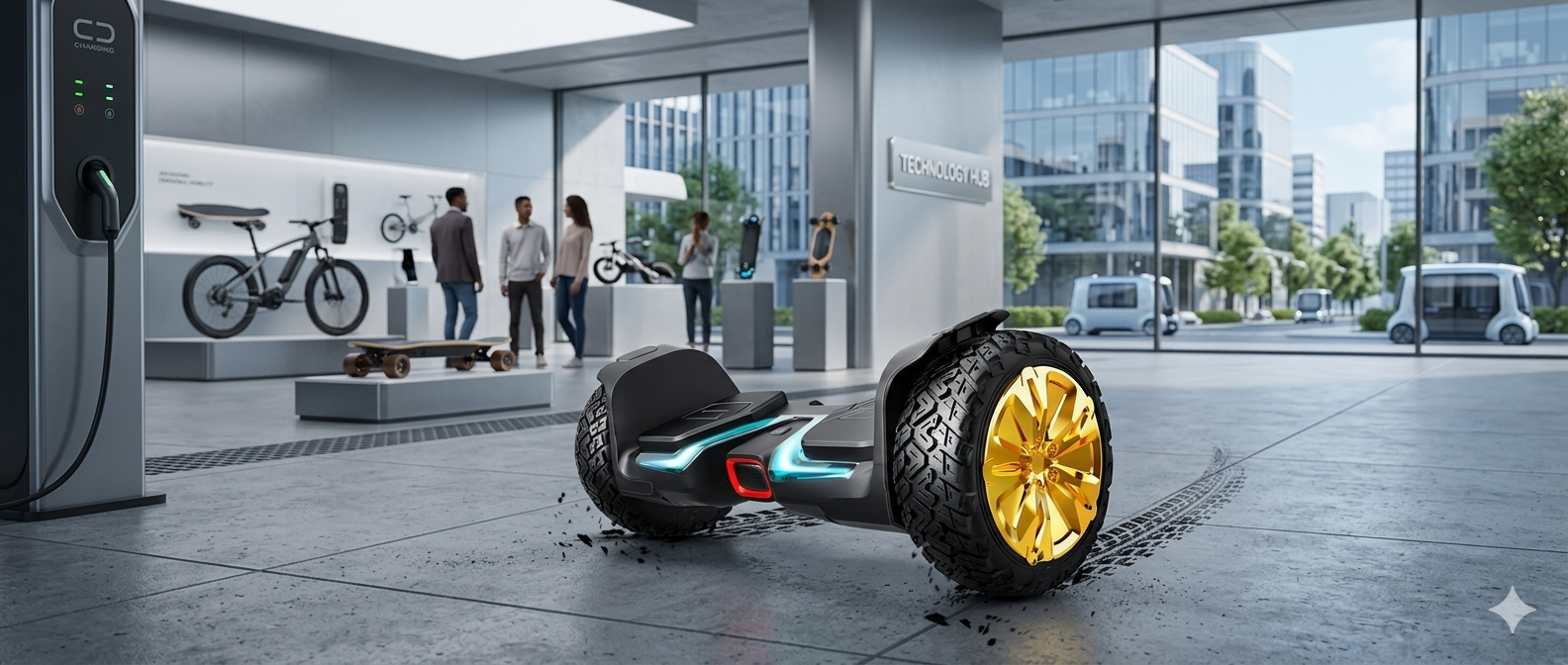
Gyroor is one of the most respected names in kids’ hoverboards, and the Y1S is the perfect proof of that reputation. During independent testing, the Y1S hit a tested top speed of 7.2 mph — right in the sweet spot for thrill-seeking 9–12 year olds. The one-piece aluminium alloy frame is genuinely impressive: after a full month of challenging terrain riding, it felt just as solid as day one.
The Y1S supports riders up to 265 lbs — one of the higher weight limits in this category — which means it’s built for durability that will outlast your child’s rapid growth spurts. Bluetooth speakers deliver decent sound quality (not audiophile grade, but fun). The smart app connects for riding stats and basic controls. The built-in carry handle is a thoughtful feature that many kids appreciate when the battery dies mid-adventure.
🏆 Expert Verdict
- Best for: Families who want exceptional durability that lasts years, not months
- Biggest strength: One-piece aluminum frame + 265 lb weight limit + carry handle
- Watch out for: 5.3-mile range is lower than SISIGAD — not great for long rides
- Our rating: ⭐⭐⭐⭐⭐ (4.8/5)
🥉 #3 — Razor Hovertrax DLX 2.0 (Best for Beginners)
You can have short product description here. It can be added as and enable/disable toggle option from which user can have control on it.
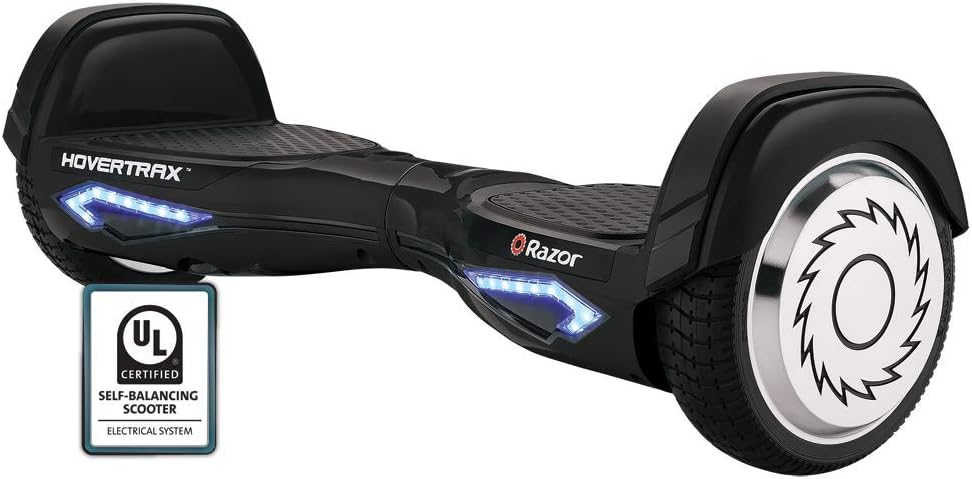
Razor has been making kids’ ride-on products for decades, and the Hovertrax DLX 2.0 benefits from all of that experience. The standout feature is EverBalance technology — a self-levelling system that makes it significantly easier to step on and off the board for beginners. First-timers consistently find that this reduces the anxiety of that initial “step up” moment dramatically.
The training mode on the Razor automatically limits speed and increases stability assistance until the rider builds real confidence. The build quality is exceptional — this brand builds boards that can absorb the inevitable drops and crashes that come with enthusiastic 10-year-old riders. The 8-inch wheels balance all-terrain capability with neighbourhood-friendly handling.
🏆 Expert Verdict
- Best for: Complete beginners who need extra balance assistance during learning
- Biggest strength: EverBalance tech + Razor brand quality + excellent beginner mode
- Watch out for: 1.5–2 hour battery life is on the lower end — buy a spare charger
- Our rating: ⭐⭐⭐⭐½ (4.5/5)
#4 — Gyroor Warrior 8.5″ (Best Speed for Confident Riders)
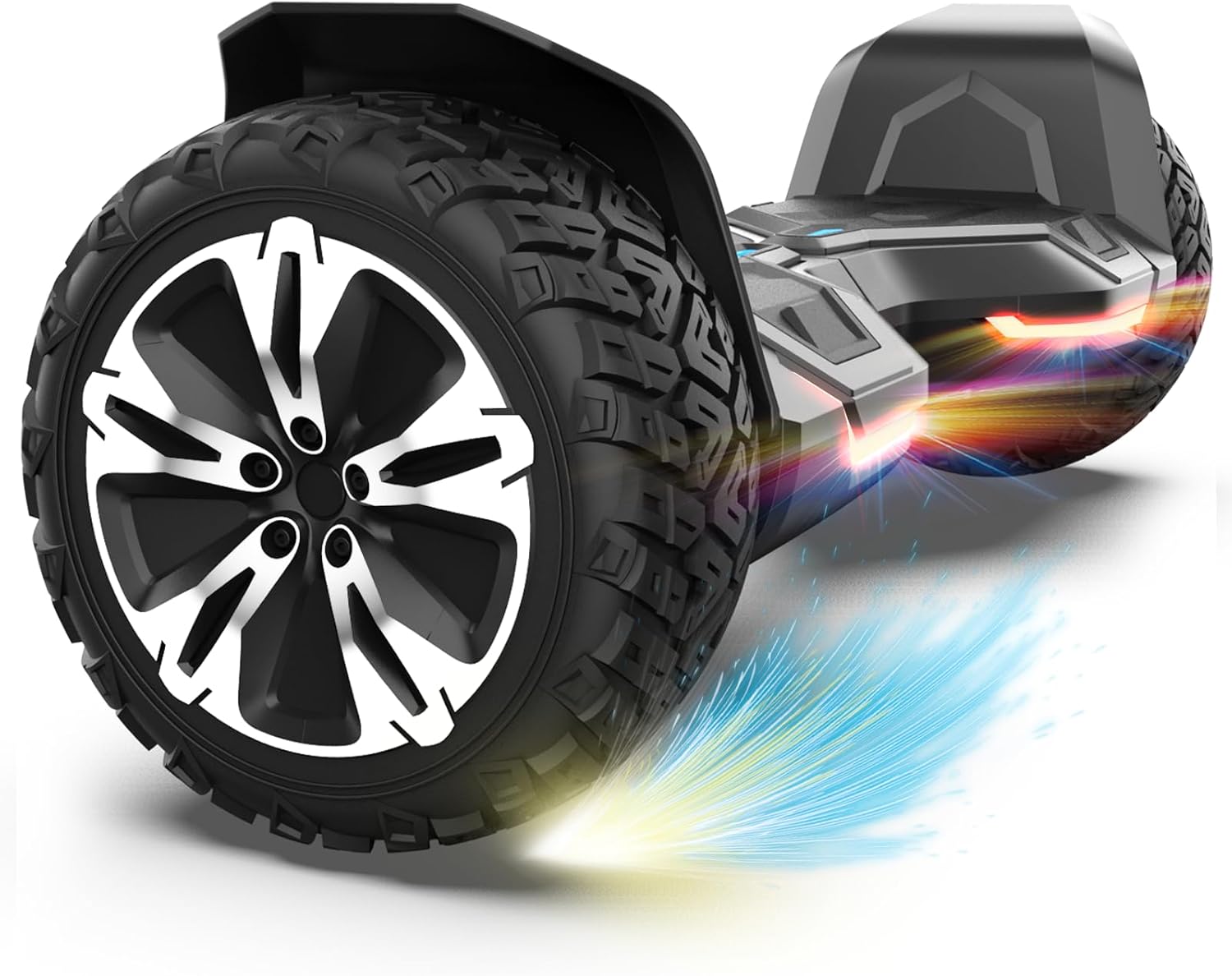
The Gyroor Warrior is the speed champion in this category. With a tested top speed of 9.3 mph and genuine off-road capability, it’s the board for the kid who has already mastered the basics and is ready for more. The 8.5-inch deep-tread solid tires and formula-one-inspired design aren’t just visual — the tread pattern genuinely grips tough surfaces better than most competitors.
The built-in Bluetooth speakers are actually loud and clear for this price point. The shock absorbers make rough terrain significantly more comfortable. At 9.3 mph, we’d recommend this for 10-year-olds who have had at least 2–3 months of riding experience — not for complete beginners.
🏆 Expert Verdict
- Best for: Experienced young riders ready for a speed and terrain upgrade
- Biggest strength: 9.3 mph speed + shock absorbers + deep-tread all-terrain tires
- Watch out for: Not ideal for beginners — too fast for kids just learning
- Our rating: ⭐⭐⭐⭐½ (4.5/5)
#5 — TOMOLOO Eagle V2 (Best for Fun Features + Style)
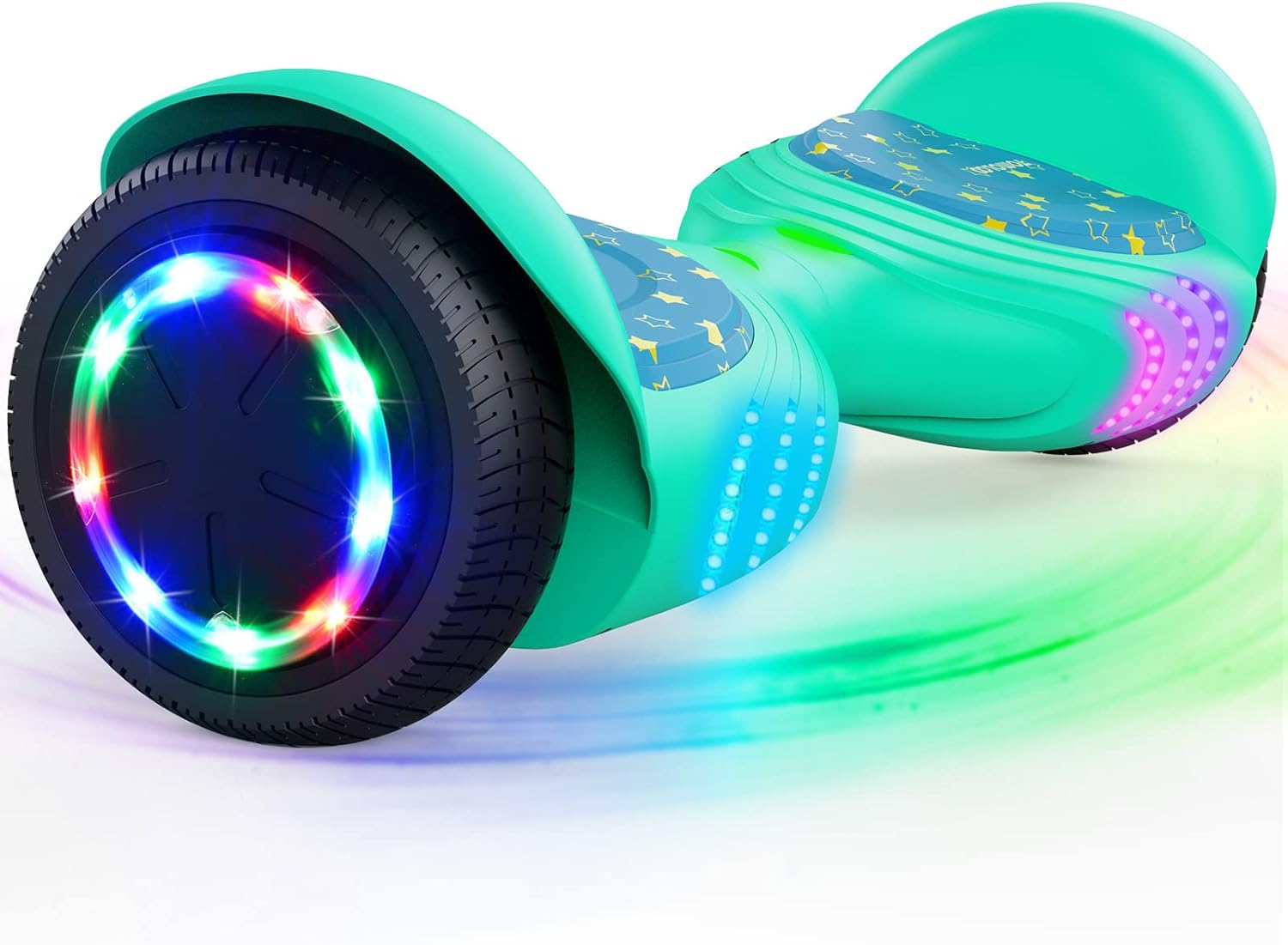
If your 10-year-old cares deeply about how their board looks and what it does, the TOMOLOO Eagle V2 is the pick. The customizable RGB light system creates millions of colour combinations — kids can match their mood, their outfit, or just set it to auto-cycle through the whole rainbow. The built-in Bluetooth speaker handles the soundtrack. The companion app adds parental controls and riding stats.
Despite the flashy features, safety remains solid. UL 2272 certified, robust construction, and quality foot pads. The 7.5 mph top speed is appropriate for the age group. Battery life is actually one of the better in this category at 2–4 hours, depending on usage.
🏆 Expert Verdict
- Best for: Kids who want the most fun, flashiest, feature-packed riding experience
- Biggest strength: RGB lights + Bluetooth speakers + 2–4 hour battery life + app control
- Watch out for: The lights are the headline — terrain performance is good, but not the best
- Our rating: ⭐⭐⭐⭐ (4/5)
Complete Buying Guide: What to Look For
Choosing the right hoverboard involves more than picking the coolest-looking model. Here’s how to think through every important factor before you buy.
Wheel Size: The Most Important Spec
This is the single most important spec for all-terrain capability. Here’s the simple breakdown:
- 6.5-inch wheels: Smooth surfaces only — driveways, gym floors, mall corridors. Not truly all-terrain.
- 8-inch wheels: Handles sidewalk cracks, packed dirt, and light gravel. Good all-terrain entry point.
- 8.5-inch wheels: The sweet spot for kids. Handles grass, gravel, and moderate terrain. Our top recommendation.
- 10-inch wheels: Maximum terrain capability. Heavier and less manoeuvrable — better for teens and adults.
Motor Power: How Much Is Enough?
For a 10-year-old on an all-terrain hoverboard, the minimum recommended motor power is 400W total (dual 200W). For real all-terrain performance — grass, gravel, gentle slopes — aim for 600–700W total. Anything above 800W is overkill for this age group and may actually be too powerful to control safely.
Battery Life: Plan for Real-World Conditions
Battery life on a hoverboard is highly variable. Manufacturer specs are usually tested by a lightweight adult on flat pavement. Here’s how to translate those specs to reality for a 10-year-old:
- On smooth pavement, expect roughly 80–90% of the advertised range.
- On mixed terrain (some grass, some pavement), expect 60–70%.
- On mostly grass and hills, expect 40–60%.
- Charging times range from 1.5–4 hours. Look for boards with a battery indicator light or app readout.
Weight: The Board’s Weight, Not Just the Rider’s
All-terrain hoverboards are heavier than standard models — typically 22–28 lbs. That’s manageable for most 10-year-olds, but it’s worth testing. If your child can’t comfortably carry the board up stairs or to the car, the carry handle becomes an essential feature rather than a nice-to-have.
Warranty and Customer Support
A solid warranty tells you a lot about a brand’s confidence in its product. Look for at least 12 months of coverage on motors and batteries. Premium brands like Gyroor offer up to 18 months. Before buying, spend 5 minutes searching “[brand name] customer service” online — brands with poor post-purchase support can turn a warranty into a frustrating runaround.
Terrain Compatibility: What Can These Boards Actually Handle?
Let’s get real about terrain. Marketing photos show kids on beaches and mountain trails. Reality is a little more nuanced. Here’s an honest breakdown of what quality all-terrain hoverboards handle well — and what they struggle with.
| Surface Type | 8″ Wheels | 8.5″ Wheels Notes | s for Parents |
|---|---|---|---|
| Flat pavement/driveway | ✅ Excellent | ✅ Excellent | Best battery life here |
| Sidewalk with cracks | ✅ Good | ✅ Excellent | Where all terrain really shines |
| Short grass/lawn | ⚠️ Okay | ✅ Good | Wet grass is harder |
| Gravel / packed dirt | ⚠️ Moderate | ✅ Good | Loose gravel is tricky for any board |
| Gentle slopes (<15°) | ⚠️ Slow | ✅ Handles | Drains battery fast on hills |
| Tall/wet grass | ❌ Struggles | ⚠️ Challenging | Avoid if possible |
| Rocky trails / deep sand | ❌ No | ❌ No | Not designed for this |
Protective Gear: Don’t Skip This Section
This is where too many parents cut corners — and where the most preventable injuries happen. A hoverboard without protective gear is like a bicycle without brakes. It might work fine most of the time, but when it goes wrong, it goes really wrong.
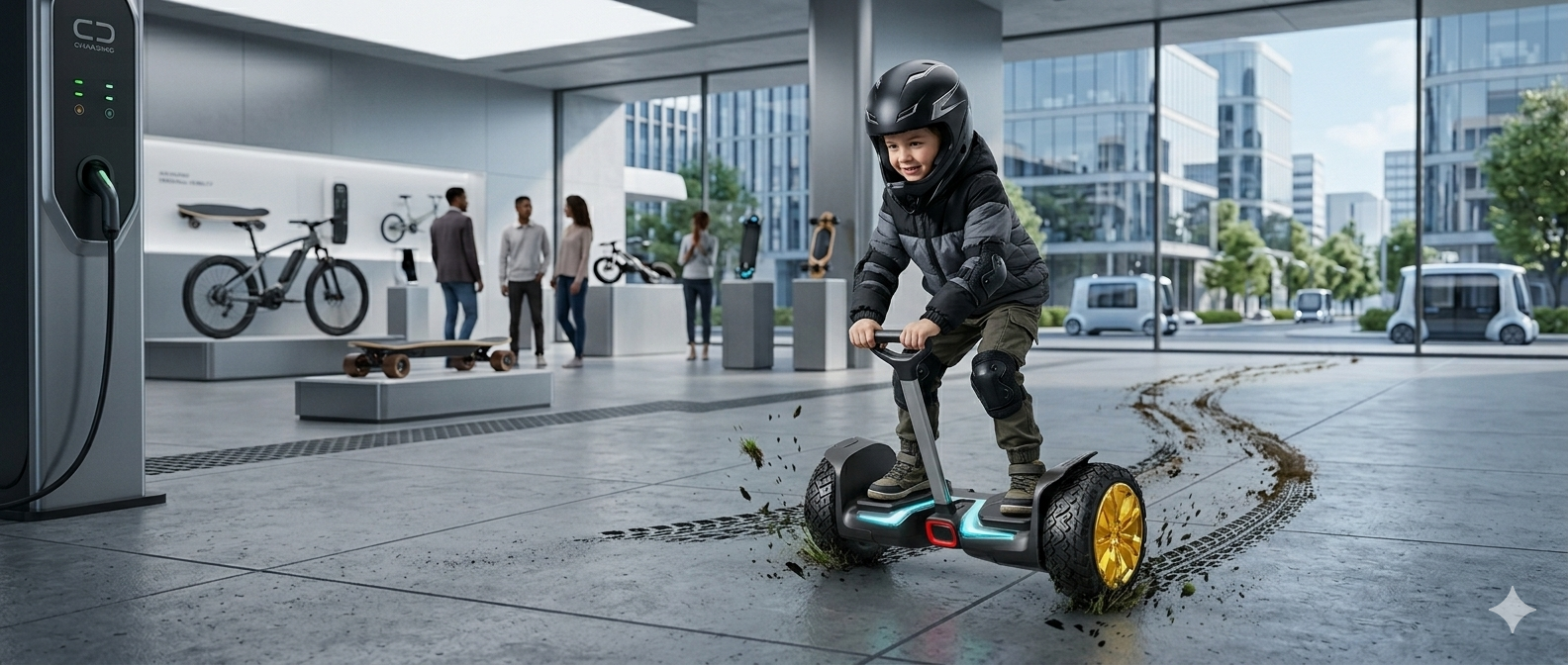
The Essential Gear List
- Helmet (non-negotiable): A CPSC-certified multi-sport helmet protects against the most serious injuries. Make sure it fits — a loose helmet won’t protect properly. Budget: $25–50.
- Knee pads: The knees take the first hit in most hoverboard falls. Sturdy knee pads with hard plastic caps are worth every penny. Budget: $15–30.
- Elbow pads: The instinctive reaction to falling is to catch yourself with your arms — elbow pads protect the joints that take that impact. Budget: $10–20.
- Wrist guards: Often overlooked, wrist fractures are one of the most common hoverboard injuries. Wrist guards absorb and distribute that impact safely. Budget: $10–20.
- Closed-toe shoes: Sandals, flip-flops, and bare feet have no place on a hoverboard. Solid sneakers provide grip and foot protection.
✅ Pro Tip
Buy the protective gear before or at the same time as the hoverboard. Make it a package rule: no gear, no ride. Kids adapt quickly to safety rules established from Day 1, but struggle to accept them added later. A complete starter kit (helmet + pads) runs $40–80 and is worth every cent.
How to Teach a 10-Year-Old to Ride Safely
Most 10-year-olds will figure out basic hoverboard riding within 20–30 minutes. But starting right sets them up for a lifetime of safe, confident riding. Here’s a step-by-step approach that actually works.
Step-by-Step Learning Process
- Set the board to beginner mode before the first ride. Cap speed at 3–4 mph.
- Find flat, smooth ground — a driveway or empty parking lot is ideal. No grass or gravel for Day 1.
- Gear up completely before stepping on. No exceptions.
- Step on one foot at a time. The dominant foot first, then the second foot, while holding a wall or a parent’s hand for balance.
- Practice standing still. Before moving, get comfortable with the board’s self-levelling motion.
- Lean gently forward to move. Explain it as “lean your ankles, not your whole body.” The motion is subtle.
- Practice stopping by leaning very slightly back until the board slows to a stop.
- Practice turning by pressing down gently with one toe. Small movements equal big turns — this is the most common mistake new riders make.
- Gradually increase challenge — gentle curves, small bumps — only after stopping and balancing are mastered.
💡 Real Parent Tip
Many parents report that the best way to help a nervous child is to ride alongside them on a scooter or bike rather than hovering anxiously nearby. Movement alongside them builds their confidence without the pressure of being watched standing still.
7 Common Mistakes Parents Make (And How to Avoid Them)
Learning from others’ mistakes saves you money, frustration, and potentially a trip to urgent care. Here are the most common pitfalls parents encounter — and exactly how to avoid them.
Mistake #1: Buying Without UL 2272 Certification
The problem: You find a board for $89 on a marketplace. It looks exactly like the $200 model. You buy it. Three weeks later, you smell something burning at 2 am. The fix: Check the certification before anything else. If a listing doesn’t prominently show UL 2272 certification, assume it doesn’t have it.
Mistake #2: Choosing Too Much Board for the Skill Level
The problem: Buying the fastest, most powerful model to “grow into it.” A 9 mph board with no beginner mode will terrify most new riders. The fix: Match the board to current skill, not future ambitions. A beginner-friendly model builds confidence faster and leads to better riding long-term.
Mistake #3: Skipping Protective Gear
The problem: “They’ll only ride on the driveway.” Until the day they don’t. Falls happen in the first 10 minutes as often as after 10 months. The fix: Make gear non-negotiable from Day 1 and buy it at the same time as the board.
Mistake #4: Ignoring Return Policies
The problem: Some brands (like some Gyroor models) are non-returnable. If the board arrives damaged or doesn’t match expectations, you’re stuck. The fix: Check the return policy before purchasing. Retailers with a 30-day return window give you real peace of mind.
Mistake #5: Overcharging the Battery
The problem: Leaving the board plugged in overnight, every night. This degrades lithium batteries faster and — with lower-quality boards — increases overheating risk. The fix: Charge to full, then unplug. Never charge unattended overnight. Store at 50–80% charge if not using for extended periods.
Mistake #6: Allowing Riding in Wet Conditions
The problem: “It’s just a little rain.” Most hoverboards are rated as water-resistant, not waterproof. Riding in rain, through puddles, or on wet grass can damage internal electronics — and riding on wet surfaces dramatically reduces traction. The fix: Establish a clear “no riding in rain or on wet surfaces” rule from the start.
Mistake #7: Forgetting About Local Regulations
The problem: Some cities and neighbourhoods have restrictions on where hoverboards can be ridden — often banned from roads, sidewalks, or certain parks. The fix: A quick 5-minute search of “[your city] hoverboard laws” before purchasing will confirm where your child can legally ride.
Maintenance Tips for Long-Lasting Performance
A well-maintained hoverboard lasts 3–5 years. A neglected one lasts 1–2 at best. Here’s what you need to do — and it’s less work than you might think.
After Every Ride
- Wipe down the exterior with a dry or slightly damp cloth
- Clear debris from wheel wells — grass, gravel, and dirt accumulate quickly
- Check foot pads for wear and make sure they’re still firmly attached
Monthly Checks
- Inspect tires for uneven wear, cracking, or embedded debris
- Check all screws and bolts — vibration from rough terrain can loosen them over time
- Test all safety features: balance sensors, speed modes, and app connectivity
- Check battery health — if charge time has increased significantly or range has dropped more than 20%, the battery may need attention
Seasonal Storage (Winter)
Lithium batteries perform poorly in temperatures below 32°F (0°C). Store hoverboards indoors in a climate-controlled space during winter. Charge to 60–80% before long-term storage, and check/top up the charge monthly to prevent deep discharge damage.
✅ Pro Tip
Never use a third-party charger. Always use the original charger that came with your hoverboard. Incompatible chargers are one of the leading causes of battery damage and overheating, even on UL 2272-certified boards. If you lose the charger, contact the manufacturer for an official replacement.
Budget Guide: What $150 vs $300 Actually Gets You
All-terrain hoverboards for 10-year-olds range from around $140 to $350+. Here’s an honest breakdown of what you actually get at each price point — and where the real value lives.
Entry Level ($140–180): You’ll get a UL 2272-certified board with 8.5-inch tires and a basic beginner mode. Build quality is functional but not exceptional. Expect shorter battery life, less app functionality, and more basic speaker quality. Perfect for families who want to try hoverboarding before committing to a premium model.
Mid-Range ($180–250): This is where the best value lives. You get significantly better build quality, longer battery life (often 50% more range), app-controlled parental features, and better customer support. The SISIGAD and Gyroor Y1S both sit in this range and represent excellent value for money.
Premium ($250–350+): Top-tier models add features like GPS tracking, superior shock absorption, extended warranties, and aerospace-grade materials. The Halo Rover X, for example, uses carbon fibre and aluminum composites. If hoverboarding becomes a serious hobby, this level makes sense. For a first board, it’s likely overkill.
💡 True Total Cost
Factor these into your budget: Protective gear: $40–80 | Potential repairs: $0–50/year | Battery replacement (years 3–4): $30–60 | Charger replacement: $15–25. A $200 board can easily become a $300+ investment over its lifetime — still excellent value for 3–5 years of outdoor fun.
Frequently Asked Questions
❓ What is the safest speed for a 10-year-old on a hoverboard?
For beginners, 3–4 mph is the safest starting speed — fast enough to feel exciting, slow enough to recover from wobbles. As skills develop over 1–3 months, 6–8 mph is appropriate. Most 10-year-olds should not be riding at 9+ mph without significant experience and full protective gear.
❓ Is a hoverboard attachment (go-kart seat) worth buying?
Yes, for kids who are nervous about standing up or for younger siblings who want to participate. Hoverboard kart attachments fit most 6–10-inch wheel boards and convert the hoverboard into a seated go-kart with handle controls. They’re great for family fun and extend the product’s usefulness significantly. Cost: $30–60.
❓ How long does a hoverboard battery last before needing replacement?
With proper care (not overcharging, avoiding deep discharge, storing at 50–80% in the off-season), lithium-ion hoverboard batteries typically last 2–3 years. You’ll notice a significant drop in range as the battery ages. Replacement batteries typically cost $30–60 and are worth replacing rather than buying a new board.
❓ Can a 10-year-old ride a hoverboard on the road or sidewalk?
Laws vary significantly by location. In many US cities, hoverboards are restricted from public roads and some sidewalks. Driveways, private property, parks with open paths, and designated recreational areas are typically the safest and most legally clear options. Always check your local municipal code before letting your child ride in public areas.
❓ What’s the difference between pneumatic and solid rubber tires for hoverboards?
Pneumatic (air-filled) tires absorb bumps more smoothly and provide a cushier ride. However, they can go flat — and a flat tire mid-ride is a real safety hazard. Solid rubber tires never go flat, are more durable and low-maintenance, but transfer more vibration on rough terrain. For 10-year-olds on all-terrain boards, solid rubber 8.5-inch tires are the better practical choice.
❓ Should I get a hoverboard with Bluetooth speakers or without?
Bluetooth speakers are genuinely fun for kids and can actually extend how long they ride outdoors. However, they’re not a must-have — don’t let a model without speakers put you off an otherwise excellent board. If the board you love has them, great. If it doesn’t, your child probably won’t miss it after the first week. The real priorities are safety certification, terrain capability, and appropriate speed modes.
Final Buying Checklist
Before you hit “Add to Cart,” run through this checklist. If you can check every box, you’re making a great decision.
✅ Complete Hoverboard Buying Checklist for Parents
Safety (Must-Haves)
- ✅ UL 2272 certification confirmed (not just claimed — check for the certification sticker)
- ✅ Beginner/training mode with speed cap of 3–4 mph
- ✅ Non-slip textured foot pads
- ✅ Battery overcharge protection (BMS) mentioned in specs
- ✅ LED safety lights (functional, not just decorative)
Performance
- ✅ 8 to 8.5-inch solid rubber tires (minimum for all terrain)
- ✅ 600–700W total motor power
- ✅ Weight limit covers your child with room for growth (minimum 176 lbs)
- ✅ Battery range of at least 2 hours or 5+ miles under real conditions
Purchase Confidence
- ✅ At least 12-month warranty on motors and battery
- ✅ Return policy checked and acceptable
- ✅ Brand has positive customer service reviews
- ✅ Buying from a verified retailer (Amazon, brand website, major sporting goods store)
Before First Ride
- ✅ Helmet purchased and fitted correctly
- ✅ Knee pads, elbow pads, and wrist guards purchased
- ✅ Board set to beginner/training mode
- ✅ First riding session planned for a flat, smooth, open area
- ✅ Local riding regulations checked
- ✅ Child briefed on safety rules before riding
Conclusion: The Right Choice Is Clearer Than You Think
Finding the best all-terrain hoverboard for your 10-year-old doesn’t need to be overwhelming. Start with safety — UL 2272 certification and a proper beginner mode are your two non-negotiables. Then choose 8.5-inch tires for genuine all-terrain capability, 600–700W of motor power for smooth performance, and a reputable brand that will actually support you after the purchase.
For most families, the SISIGAD 8.5″ All Terrain Hoverboard hits the ideal combination of safety, performance, range, and price. If build quality is your priority, the Gyroor Y1S is the more durable choice. If your child is a complete beginner, start with the Razor Hovertrax DLX 2.0 and its EverBalance technology.
Add a quality helmet, knee pads, and wrist guards before the first ride. Set the board to beginner mode. Find a flat, open space. And then watch your child’s face light up when they realise they’re actually doing it.
That moment is worth every bit of research you’ve done today.
Last updated: April 2026. This article contains affiliate links. We may earn a commission if you purchase through our links, at no additional cost to you. All recommendations are based on independent research and genuine editorial judgment — we never recommend products solely for affiliate income.

I’m the founder of HoverboardsGuide.com, a comprehensive website dedicated to electric scooters and hoverboards. With a deep-rooted passion for electric gadgets, I’ve accumulated extensive experience in this field. I aim to assist users in selecting the best gadgets and providing reliable guidance.
I’ve tested and reviewed numerous models, gaining in-depth knowledge about their features, performance, and overall quality. Feel free to reach out to me with any queries, as I’m dedicated to addressing your concerns promptly. Join me on this exciting journey of exploring the world of electric rides and making informed decisions