
Electric Scooters with IoT Battery Management & Remote Diagnostics: The Complete Guide (2026)
Discover how smart connectivity, real-time battery monitoring, and remote diagnostics are making e-scooters safer, smarter, and longer-lasting — plus top model recommendations and expert buying tips.
You hop on your electric scooter and head to work. Halfway there, the battery warning buzzes on your phone. The app tells you exactly how many miles you have left, warns you of a slight cell imbalance, and suggests a charging station two blocks ahead. You make it just in time — no guessing, no stress.
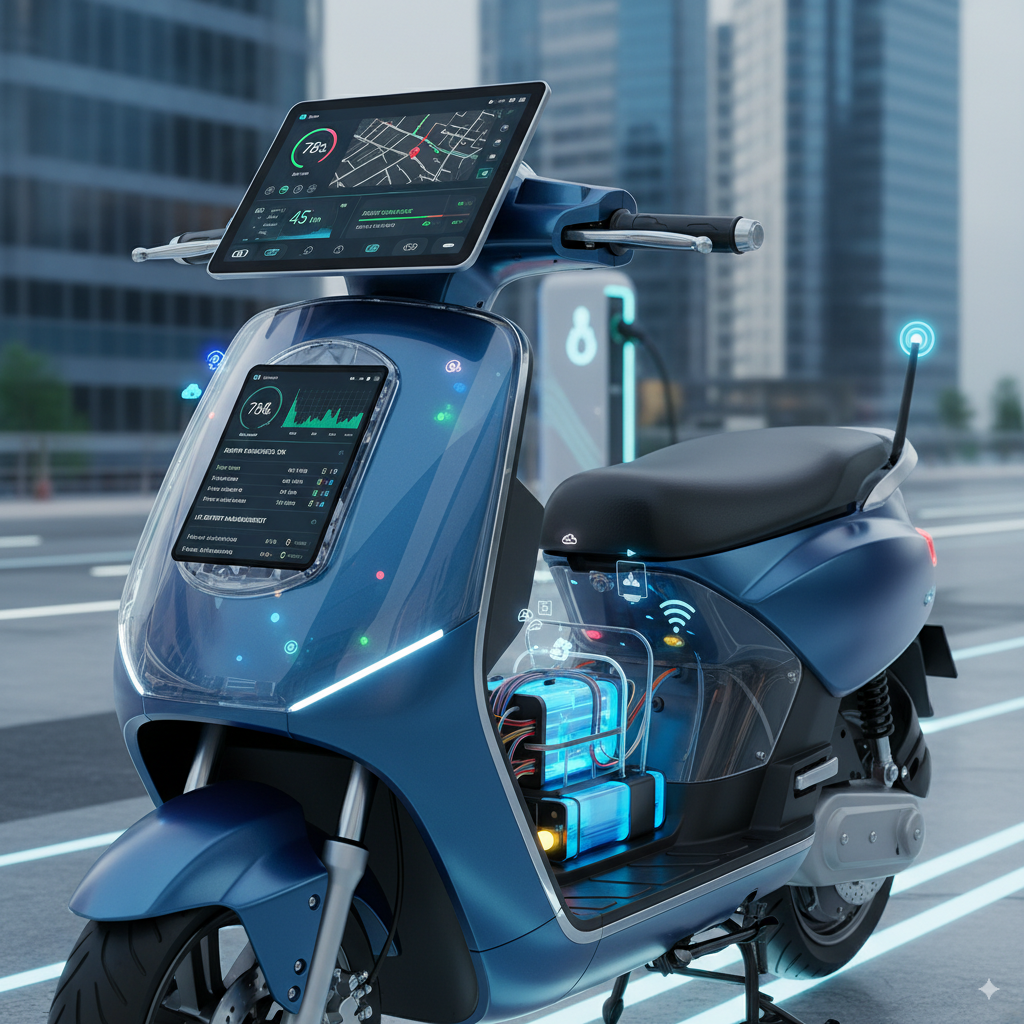
That is the reality of riding an electric scooter with IoT battery management and remote diagnostics in 2026. These aren’t futuristic features for tech labs. They are available right now in mid-priced scooters you can order online today.
But a lot of riders still don’t understand what these features actually do, why they matter, or how to choose a scooter that uses them well. This guide answers every question you might have — from beginner basics to expert pro tips. Whether you’re a first-time buyer or an experienced rider looking to upgrade, this is the only guide you’ll need.
💡 Key Insight
The global electric scooter market is projected to grow from $48.9 billion in 2025 to over $320 billion by 2034. IoT integration and smart battery systems are among the top drivers of that growth.
📋 Table of Contents
- What Is IoT Battery Management?
- How Does It Actually Work?
- What Is Remote Diagnostics?
- Full List of Smart IoT Features
- How E-Scooter Apps Work
- Real Benefits You’ll Actually Notice
- Understanding Error Codes
- Top IoT-Enabled Scooters (Comparison Table)
- How to Choose the Right IoT Scooter
- Common Mistakes (and How to Fix Them)
- Expert Pro Tips
- The Future of IoT in E-Scooters
- FAQ
- Final Checklist
Alt text: “Electric scooter connected to smartphone showing IoT battery management dashboard”
What Is IoT Battery Management in an Electric Scooter?
Let’s start simple. Every modern electric scooter has a Battery Management System (BMS). Think of it as the brain inside the battery pack. It watches every single cell, tracks how much charge is left, and makes sure nothing dangerous happens — no overheating, no overcharging, no sudden failures.
In a basic scooter, the BMS works silently in the background. It protects the battery but never tells you anything. You ride until the display dies, hope for the best, and find out there’s a problem when the scooter stops working.
In an IoT-enabled scooter, the BMS is connected to the internet — or at least to your phone. Now all that battery data gets sent to a smartphone app or cloud dashboard in real time. You can see exactly what the battery is doing, even when you’re not riding. That’s the core idea of IoT battery management.
What Does the BMS Actually Monitor?
A smart BMS tracks far more than you might expect. Here’s what the sensors are watching at all times:
- Cell voltage — Is each cell in the pack charged evenly?
- Pack temperature — Is anything getting dangerously hot?
- State of Charge (SoC) — What percentage of battery is remaining?
- State of Health (SoH) — Is the battery aging well or deteriorating?
- Current draw — How much power is the motor pulling right now?
- Charge cycles — How many times has the battery been fully charged and discharged?
- Cell balance — Are some cells weaker than others?
Without IoT, all this data is invisible to you. With IoT, it all lands on your phone, live and in plain language. That difference is enormous — especially when something goes wrong.
✅ Pro Tip
The battery typically represents 30–50% of the total cost of an electric scooter. That makes protecting it — with a smart BMS and IoT monitoring — one of the best investments you can make.
How Does IoT Battery Management Actually Work?
You might be wondering: how does data actually get from my scooter to my phone? It’s simpler than it sounds. Here’s the step-by-step process:
- Sensors collect data — Tiny sensors on each battery cell and key components measure voltage, temperature, and current hundreds of times per second.
- The BMS processes it — The onboard BMS chip compiles all this data, calculates the state of charge, and checks for any abnormal readings.
- The IoT module sends it — A wireless chip (Bluetooth, Wi-Fi, or cellular) transmits the processed data to a server or directly to your phone.
- The app displays it — Your smartphone app receives the data and shows it in a simple, readable format: battery percentage, estimated range, alerts, ride history.
- The cloud stores it — More advanced systems also send data to the manufacturer’s cloud, enabling over-the-air updates and remote technical support.
Think of it like a Fitbit for your scooter. Just as a fitness tracker sends your heart rate data to your phone, a connected scooter sends its battery “health stats” in real time — so you always know exactly how your ride is doing.
Bluetooth vs. Wi-Fi vs. Cellular: What’s the Difference?
Not all IoT connections are the same. Here’s how the three main types compare:
| Connection Type | Range | Best For | Battery Drain |
|---|---|---|---|
| Bluetooth | ~30 feet | Personal use, nearby monitoring | Very Low |
| Wi-Fi | ~300 feet | Home charging, OTA updates | Low |
| Cellular (4G/5G) | Unlimited | Fleet management, theft tracking | Moderate |
For most personal scooters, Bluetooth is enough. It connects when you’re near the scooter, syncs your ride data, and sends alerts while you’re riding. Cellular connectivity is overkill unless you manage a fleet or need remote tracking from across the city.
Alt text: “Diagram showing IoT data flow from electric scooter sensors to smartphone app and cloud”
What Is Remote Diagnostics on an Electric Scooter?
Remote diagnostics means your scooter can find its own problems and report them — even before you notice anything is wrong. This is a game-changer for maintenance.
Traditional scooters are reactive. You ride until something breaks, then take it to a shop and pay for repairs. Smart scooters with remote diagnostics are proactive. They catch small issues early — a cell losing capacity, a brake sensor acting up, a motor drawing slightly too much current — and alert you before they become big, expensive problems.
What Gets Monitored Remotely?
- Battery health — Cell voltage imbalances, aging, and degradation patterns
- Motor performance — Unusual current draw, efficiency drops, overheating
- Brake system — Brake sensor faults (the most common error code in hot climates)
- Controller status — Software faults and communication errors between components
- Throttle response — Unusual input signals or sensor glitches
- Vibration and impact sensors — Falls, collisions, or rough terrain damage
The Ather 450 smart scooter is one of the best real-world examples. It streams live data from over 40 sensors directly to the manufacturer’s servers. If a scooter develops a charging fault, engineers can analyze the event remotely and even push a wireless fix — without the rider ever visiting a service center.
⚠️ Warning
Error code surges are common in hot climates. Brake sensor errors (like E02 and E06) spike during summer because heat causes sensors to stick or batteries to discharge faster. If your scooter shows repeated errors in hot weather, check the brake sensors and keep the battery shaded while charging.
Common Error Codes and What They Mean
Most smart scooters display error codes on the LCD screen or in the app when something’s wrong. These codes are like your scooter’s version of the “check engine” light. Here are the most common ones:
| Error Code | Likely Problem | Severity | First Step |
|---|---|---|---|
| E01 | Battery voltage too low | ⚠️ Medium | Charge immediately |
| E02 | Brake sensor fault | ❌ High | Inspect brake lever sensor |
| E03 | Motor communication error | ❌ High | Restart scooter; check wiring |
| E04 | Throttle malfunction | ⚠️ Medium | Check throttle cable connections |
| E06 | Controller overtemperature | ❌ High | Stop riding; let scooter cool |
| E08 | Battery cell imbalance | ✅ Low | Full charge cycle; monitor in app |
Important: Error codes vary by brand and model. Always check your specific scooter’s manual or app for the exact meaning of each code. The table above shows the most common patterns across major brands like Gotrax, Hiboy, Xiaomi, and Segway-Ninebot.
Full List of Smart IoT Features in Modern E-Scooters
IoT connectivity is more than just battery monitoring. Here is a complete breakdown of every smart feature you might find — and why each one matters to real riders.
🗺️ Real-Time GPS Tracking
Always know where your scooter is. This is vital if you park outdoors, use shared spaces, or live in an area with higher theft rates. The GPS feeds your scooter’s exact location to the app map in real time, refreshing every few seconds. If it moves without your permission, you’ll know instantly.
🔐 Remote Lock and Unlock
Lock your scooter with a tap on your phone. Most systems use Bluetooth proximity — when your phone is near, the scooter unlocks automatically. When you walk away, it locks itself. No keys to lose, no fob to forget. Some premium models also offer QR code scanning and PIN unlock as backups.
📍 Geofencing and Motion Alerts
Set a virtual boundary around your home or workplace. If the scooter leaves that boundary while locked, your phone gets an immediate alert. Motion sensors add another layer — even if someone picks up the scooter without turning it on, the G-sensor detects movement and triggers a notification.
📲 Over-the-Air (OTA) Software Updates
Your scooter can get better over time — just like your smartphone. Manufacturers push firmware updates wirelessly to fix bugs, improve energy efficiency, fine-tune the BMS algorithms, and sometimes add entirely new features. You never need to take the scooter to a shop just for a software issue.
📊 Ride Analytics and Data History
Apps record every ride: distance, time, average speed, top speed, calories burned, and battery used per mile. Over time, this data shows you patterns — maybe you always ride harder uphill and drain the battery faster, or your range drops noticeably in cold mornings. That insight helps you plan better and maintain the battery smarter.
🔋 Predictive Range Estimation
Basic scooters show you a percentage. Smart scooters go further — they calculate your exact remaining range based on your current speed, riding mode, terrain, and real-time battery data. The estimate updates dynamically as you ride, so you always know if you’ll make it to your destination.
🤖 AI-Assisted Ride Modes (2025–2026 Feature)
The newest high-end models are now using AI to automatically adjust acceleration, braking sensitivity, and suspension stiffness based on your riding style and the terrain. If it detects you’re riding on a flat road with light traffic, it shifts into an efficient mode to save battery. On a hilly route, it boosts power automatically. This is still a premium feature, but it’s trickling down to mid-range models fast.
🏆 Expert Tips
- Always enable motion alerts when parking your scooter in public places — even for five minutes
- Check for OTA updates monthly — manufacturers often release efficiency improvements quarterly
- Use ride analytics to find out which routes are hardest on your battery, and plan charging accordingly
How E-Scooter Apps Work: A Complete Walkthrough
The smartphone app is your control center for everything IoT on your scooter. Most apps take less than two minutes to set up — usually a one-time Bluetooth pairing or QR code scan. After that, every time you open the app near your scooter, it connects automatically.
Here’s what a typical smart scooter app shows you:
- 📱 Battery percentage and estimated remaining range — Updates live while riding
- ⚡ Current speed and riding mode — Eco, Normal, or Sport — with the ability to switch modes in-app
- 🗺️ GPS map — Live scooter location
- 🔒 Lock/unlock controls — One-tap remote security
- 🏁 Ride history — Distance, duration, battery used, average speed
- 🔔 Alerts and error codes — Notifications for low battery, unusual readings, or faults
- ⚙️ Settings and customization — Speed limits for teen riders, throttle sensitivity, zero-start mode
- 🔄 Firmware update manager — One-tap updates when new software is available
Popular Apps and Which Scooters Use Them
Different brands use different apps. Here’s a quick guide to the major platforms:
- TUYA app — Used by NAVIC and dozens of other brands. Known for its clean UI, customizable speed modes, and real-time status display. Very user-friendly.
- Vicont app — Used by WERHY scooters. Offers fault detection, battery monitoring, lock/unlock, and cruise control from one dashboard.
- Ninebot app — Segway-Ninebot’s proprietary app. Shows battery percentage, range, location, and supports remote firmware updates. One of the most polished apps in the industry.
- Mi Home app — Used by Xiaomi scooters. Battery stats, firmware updates, theft alarm, and ride data. Works on both Android and iOS reliably.
- Teverun app — Used by high-performance Teverun models. Provides cell-level temperature monitoring and cell balance alerts — a standout feature for serious riders.
💡 Key Insight
Before buying any smart scooter, check the app reviews on Google Play and the Apple App Store. A scooter with great hardware but a buggy app loses most of its smart value. Look for apps rated 4.0 stars or higher with at least a few hundred reviews.
Real Benefits You’ll Actually Notice
It’s easy to list features. But what does all this IoT technology actually mean for your daily life as a rider? Here are the benefits that make a real difference:
🔋 Your Battery Lasts Significantly Longer
A good BMS with active monitoring keeps each cell balanced and prevents over-discharge and overcharging — the two biggest killers of lithium-ion batteries. Riders who use smart charging protocols (keeping the battery between 20% and 80% for daily use) combined with active BMS monitoring routinely report batteries lasting 3–5 years versus 1–2 years without smart management.
🛡️ You Ride Safer Every Day
Overheating lithium batteries are a fire hazard. IoT systems constantly watch battery temperature and automatically reduce charging current or cut power if temperatures spike. You never have to guess — the system handles it silently in the background. You just ride, knowing someone’s watching the battery for you.
💰 You Save Money on Repairs
Remote diagnostics catch small problems early. Replacing a worn brake sensor cable costs $10–$20. Replacing a controller because the sensor fault fried it costs $80–$200. Predictive maintenance is not just convenient — it directly saves you money over the life of the scooter.
😌 No More Range Anxiety
Range anxiety — the fear of running out of battery mid-ride — is the #1 complaint among new e-scooter riders. Smart apps with predictive range estimation solve this completely. When the app says you have 6.2 miles left, you can trust that number. It’s not a guess; it’s calculated from real-time battery data.
🔒 Your Scooter Is Much Harder to Steal
GPS tracking + remote locking + motion alerts + geofencing create a powerful multi-layer theft deterrent. Even if someone physically picks up and carries your scooter, the motion sensor fires within seconds. If they somehow get it running, the GPS tracks it live. Fleet managers and personal owners alike report that theft rates drop dramatically with connected scooters versus basic models.
Alt text: “Smartphone app showing electric scooter battery health dashboard with charge level and range estimate”
Top IoT-Enabled Electric Scooters: Full Comparison
Here’s a detailed comparison of the best IoT-connected electric scooters available today. These models were selected based on app quality, BMS capability, real-world user reviews, and overall value.
| Model | Motor / Top Speed | Battery / Range | App & Smart Features | Best For |
|---|---|---|---|---|
| WERHY H5 | 350W/500W peak, 19 mph | 36V 7.5Ah, up to 28 mi | Vicont App: battery + fault alerts, lock, cruise, speed set | Budget IoT Pick |
| NAVIC T2PRO | 350W, 19 mph | 36V 9Ah, 25 mi | TUYA App: real-time battery status, modes, lock/unlock, seat + basket | Commuters with Cargo |
| SAYBYBY W4 | 350W/500W, 22 mph | 36V ~10.4Ah, 28 mi | App: speed modes, cruise, LCD display; UL2272 certified | Balanced All-Rounder |
| Segway Ninebot MAX G30 II | 350W, 18.6 mph | 36V 15.3Ah, 40 mi | Ninebot App: battery%, range, GPS, OTA updates, anti-theft lock | Long-Range Commuter |
| Xiaomi Mi Pro 2 | 300W, 15.5 mph | 36V 12.8Ah, 27 mi | Mi Home App: battery stats, firmware OTA, ride data, theft alarm | Urban Daily Rider |
| Teverun 7260R | Dual 3000W+, 65+ mph | 72V 60Ah, 75+ mi | Teverun App: cell-level temperature + balance monitoring, ride stats | Performance Enthusiasts |
🔥 Critical Warning
When shopping on Amazon or any marketplace, look for UL2272 or UL2271 safety certification on the product page. These certifications mean the electrical system has been independently tested for fire and safety hazards. Never buy a budget scooter that lacks this certification — especially if you plan to charge it indoors.
How to Choose the Right IoT Electric Scooter: Step-by-Step Guide
Not all “smart” scooters are created equal. Here’s exactly what to look for — and what to ignore — when buying an IoT-enabled electric scooter.
Step 1: Decide Your Primary Use Case
Your riding needs should drive every decision. Ask yourself: Am I commuting daily (prioritize range and reliability), riding casually on weekends (prioritize comfort and fun features), or managing a small delivery fleet (prioritize cellular connectivity and fleet analytics)?
Step 2: Evaluate the App Before the Scooter
This is the step most buyers skip — and regret. Find the scooter’s companion app on the Google Play Store or Apple App Store before purchasing. Read the reviews. Check: Is the app actively updated? Are users reporting connection issues? Does it show real diagnostic data, or just a generic battery bar? A scooter with a polished, stable app is worth paying extra for.
Step 3: Check the Battery Specs
Higher voltage (36V, 48V, 60V) and higher amp-hours (Ah) mean longer range and better performance. A smart BMS can only manage what it’s given — so start with a good battery. A 36V/10Ah pack gives roughly 20–28 miles in real conditions. A 48V/13Ah pack gives 30–45 miles. Match the battery to the distance you actually need to cover.
Step 4: Verify the Connection Type
Bluetooth-only scooters work well for personal use. If you need remote alerts when you’re away from home (e.g., the scooter is parked outside your office all day), look for a model with Wi-Fi or cellular connectivity. These models typically cost more but give you 24/7 monitoring from anywhere.
Step 5: Confirm OTA Update Support
Ask or research: Does this brand regularly push firmware updates? Check the brand’s community forums or Reddit — if users are reporting that the last update was 18 months ago, that’s a red flag. Active firmware development means the manufacturer is still supporting the product and improving it over time.
Step 6: Check Physical Safety Certifications
Smart features can’t save a scooter with poor hardware. Always look for: UL2272 certification (whole scooter electrical safety), IP54 or higher water resistance (handles rain splashes), and dual braking systems (disc + electronic or disc + drum). These aren’t marketing terms — they’re measurable safety standards.
Common Mistakes Riders Make (and How to Fix Them)
Even tech-savvy riders fall into these traps. Here are the most common mistakes with IoT electric scooters — and the exact fix for each one.
⚠️ Warning
Mistake #1: Ignoring cell imbalance alerts. Many riders dismiss a cell imbalance notification because the scooter seems to ride fine. But over weeks, an unbalanced pack loses range rapidly and risks cell damage. Fix: Run a full charge (0% to 100%) once a month. This allows the BMS to re-balance all cells properly.
⚠️ Warning
Mistake #2: Charging to 100% every single day. Keeping a lithium battery at 100% for long periods stresses the cells. Fix: For daily commutes, charge to 80–90%. Only go to 100% before long trips. The BMS can’t override chemistry — you need to help it.
⚠️ Warning
Mistake #3: Skipping firmware updates. OTA updates often contain important BMS algorithm improvements. Riders who ignore the “update available” prompt miss out on efficiency gains and sometimes critical bug fixes. Fix: Update the firmware when prompted, preferably while the scooter is charging and on stable Wi-Fi or Bluetooth.
⚠️ Warning
Mistake #4: Relying only on the app display. If the Bluetooth connection drops, the app shows stale data. Never ignore the physical LCD on the scooter itself. Fix: Always have a scooter with a physical display as backup. Never buy a model that is app-only with no onboard screen.
⚠️ Warning
Mistake #5: Leaving the scooter in full sun while charging. Heat is a battery’s worst enemy. Even a smart BMS will throttle the charging speed in extreme heat, making it take much longer and stressing the cells. Fix: Always charge in the shade or indoors, at room temperature (60–77°F / 15–25°C is ideal).
Expert Pro Tips: Get the Most From Your Smart Scooter
These are the tips experienced riders and technicians use every day — the ones that don’t show up in the user manual.
✅ Pro Tip 1
Use Eco mode for the first mile of every cold-weather ride. Cold batteries have higher internal resistance. Starting in Eco mode limits current draw while the battery warms up to optimal temperature, reducing cell stress and improving long-term health.
✅ Pro Tip 2
Export and save your ride history monthly. Most apps let you export ride data. Keep a spreadsheet of monthly average range versus battery percentage. A sudden drop in average range (more than 20–25%) is an early warning sign of battery aging — even if the app hasn’t flagged it yet.
✅ Pro Tip 3
Set a speed limit in the app for new riders in your household. Most smart scooter apps let you cap the top speed remotely. If a teenager or less experienced rider uses your scooter, cap it at 12–15 mph until they’re comfortable. You can remove the limit from your phone in seconds.
✅ Pro Tip 4
Store the scooter at 50–60% charge if you won’t ride for more than two weeks. Long-term storage at full or empty charge damages lithium-ion cells. The BMS can’t protect a battery that’s stored incorrectly. The 50–60% range is the safest “parking” charge for battery chemistry.
✅ Pro Tip 5
Use the app’s fault detection history, not just live alerts. Some apps log all fault events with timestamps. Reviewing this history monthly can reveal patterns — for example, a brake sensor error that only occurs during wet rides might indicate a water ingress issue before it becomes a serious problem.
The Future of IoT in Electric Scooters (2025–2028)
The features we’ve described in this guide are the baseline for 2026. Here’s what’s coming fast in the next two to three years:
AI-Integrated BMS
Machine learning algorithms will predict battery failures before any physical symptom appears — by analyzing subtle patterns in cell behavior over hundreds of charge cycles. Your scooter will tell you “replace cell 4 in approximately 3 months” before the cell shows any visible degradation.
Smart City Integration
Your scooter will communicate directly with traffic signals, parking systems, and charging infrastructure. Imagine your scooter automatically reserving a charging spot two blocks ahead as your battery approaches 20% — and getting you green lights along the way.
Solid-State Batteries + Smart BMS
Solid-state batteries (already tested in prototype scooters as of late 2025) offer higher energy density, faster charging, and dramatically improved safety. When combined with next-generation BMS and IoT, they could double typical scooter range while cutting charging time to under 30 minutes.
Battery as a Service (BaaS)
Following the model pioneered by Hero MotoCorp’s Vida VX2 in 2025, more manufacturers are offering battery swap subscriptions. Instead of buying the battery, you pay monthly and swap for a fresh, fully charged pack in under 60 seconds at swap stations — all managed via the IoT network.
💡 Key Insight
Industrial IoT cloud platforms are already capable of processing millions of battery data points per second. As this infrastructure becomes cheaper, even budget scooters will gain access to cloud-level diagnostics previously reserved for commercial fleets.
Frequently Asked Questions
❓ Do all electric scooters have a Battery Management System?
Almost all modern e-scooters include some form of BMS, since lithium-ion batteries require basic protection to be safe. However, not all BMS units are equal. Budget models have simple BMS chips that only prevent the most extreme conditions. Mid-range and premium scooters have advanced BMS hardware that monitors cell-level data and connects to apps. The difference in battery lifespan between a basic BMS and a smart IoT BMS can be 2–3 years.
❓ Will the IoT module drain my scooter’s battery faster?
No — not in any meaningful way. A Bluetooth chip uses a negligible fraction of the power that the motor draws. Cellular modules use slightly more, but the difference in real-world range is typically less than 0.5%. IoT engineers optimize these modules specifically to minimize power consumption, since battery drain from connectivity would defeat the purpose.
❓ Can I add IoT features to my existing non-smart scooter?
You can add a basic GPS tracker or Bluetooth motion sensor to almost any scooter. These provide location tracking and anti-theft alerts. However, you cannot add true remote battery diagnostics to a scooter that wasn’t designed for it — that requires the smart BMS hardware to be built in from the factory. For serious diagnostic features, a purpose-built IoT scooter is necessary.
❓ What should I do if my scooter shows an error code while riding?
First, don’t panic. Find a safe place to stop. Open the app to see if it gives a description of the error. For any E-code that involves the motor, controller, or a red-severity warning, stop riding and let the scooter cool for 10–15 minutes. If the code reappears after restarting, check the manufacturer’s app or website for the specific code meaning. Never ignore persistent red-severity error codes — they indicate hardware faults that need attention.
❓ Are IoT scooter apps safe? What about my privacy?
This is a fair concern. Reputable brands (Segway, Xiaomi, NAVIC, WERHY) store your ride data securely and don’t sell it to third parties. Before connecting, read the app’s privacy policy — it’s usually one page. Look for apps that allow you to delete your data, don’t require unnecessary permissions (like access to your contacts or camera), and are updated regularly (which signals active security maintenance).
❓ How accurate is the app’s range estimate?
On quality smart scooters, the range estimate is very accurate — typically within 10–15% of real-world performance. The BMS measures actual cell voltage precisely and the algorithm factors in your current speed and mode. The main variable is temperature: cold weather reduces battery output by 15–30%, which the app adjusts for in real time. Never trust “maximum range” claims in marketing materials — use the app’s live estimate as your actual guide.
Final Checklist: Your Complete IoT Smart Scooter Action Plan
✅ Before You Buy
Research & Verify
- ✅ Check the companion app rating on Google Play / Apple App Store (aim for 4.0+)
- ✅ Confirm UL2272 or UL2271 safety certification is present
- ✅ Verify water resistance rating (IP54 minimum for outdoor use)
- ✅ Research if the brand pushes regular firmware updates
- ✅ Match battery capacity (Ah × V) to your actual daily mileage need
Features to Confirm
- ✅ Real-time battery percentage and range in the app
- ✅ Remote lock/unlock functionality
- ✅ Fault detection and error code notifications
- ✅ Physical LCD display (don’t rely on app only)
- ✅ OTA firmware update support
🏁 After You Get It — Smart Maintenance Checklist
- ✅ Pair the app and enable all push notifications on day one
- ✅ Run one full charge (0–100%) in the first week to balance all cells
- ✅ Set daily charge limit to 80–90% in the app settings if available
- ✅ Enable motion alerts and geofence for your home address
- ✅ Update firmware immediately if a new version is available
- ✅ Run one full charge cycle monthly to maintain cell balance
- ✅ Check the app’s fault log monthly — not just when alerts fire
- ✅ Store at 50–60% charge if not riding for more than two weeks
- ✅ Never charge in direct sunlight or extreme heat (above 95°F / 35°C)
- ✅ Export and review ride data every 3 months to spot range degradation early
Conclusion
An electric scooter with IoT battery management and remote diagnostics is not a luxury anymore — it’s becoming the standard. As the market grows toward $320 billion, smart connectivity is what separates a basic scooter you ride and hope for the best from an intelligent vehicle that looks after itself and keeps you informed every mile of the journey.
The technology is proven, the apps are genuinely useful, and the benefits — longer battery life, safer rides, cheaper maintenance, better security — are real and measurable. Whether you choose the budget-friendly WERHY H5, the long-range Segway Ninebot MAX G30 II, or the performance-focused Teverun 7260R, you’ll get a scooter that actively communicates with you, protects its own battery, and gets smarter with every software update.
Use the buying guide, checklist, and pro tips in this article to make a confident, informed choice. Your scooter should work for you — and with IoT, it finally can. 🚀
Alt text: “Rider checking electric scooter smartphone app showing real-time IoT battery diagnostics dashboard”
Last updated: April 2026. This article contains affiliate links (tag=rcblogs-20). We only recommend products we’ve researched thoroughly. Prices and availability may vary. Always verify safety certifications before purchase.

I’m the founder of HoverboardsGuide.com, a comprehensive website dedicated to electric scooters and hoverboards. With a deep-rooted passion for electric gadgets, I’ve accumulated extensive experience in this field. I aim to assist users in selecting the best gadgets and providing reliable guidance.
I’ve tested and reviewed numerous models, gaining in-depth knowledge about their features, performance, and overall quality. Feel free to reach out to me with any queries, as I’m dedicated to addressing your concerns promptly. Join me on this exciting journey of exploring the world of electric rides and making informed decisions