From free Roblox racers to jaw-dropping VR rides, here are the best hoverboard games and simulators, plus how to make the jump to a real board.
If you love the idea of floating down the street on a glowing board but cannot always ride outside, hoverboard games and simulators are the next best thing. These virtual rides let you carve, boost, and pull off wild tricks from your couch, with zero risk of a scraped knee. Whether you picture the two-wheeled self-balancing board kids zip around on, or the dreamy sci-fi board from Back to the Future, there is a game built around it.
The best news is that a good hoverboard simulator does not have to cost anything. You can play free games right in your web browser, race friends on Roblox, dodge trains on your phone, or dive into full 3D worlds on PC and console. And if you own a VR headset, you can lean your whole body and feel like you are truly hovering.
In this guide, we will walk through the top hoverboard games on every platform, from quick browser fun to deep console adventures. Then we will show you how to go from riding on a screen to riding for real, safely and without breaking the bank.
This article is part of our hoverboard buying guide, which brings together every hoverboard guide on the site.
What Are Hoverboard Games and Simulators?
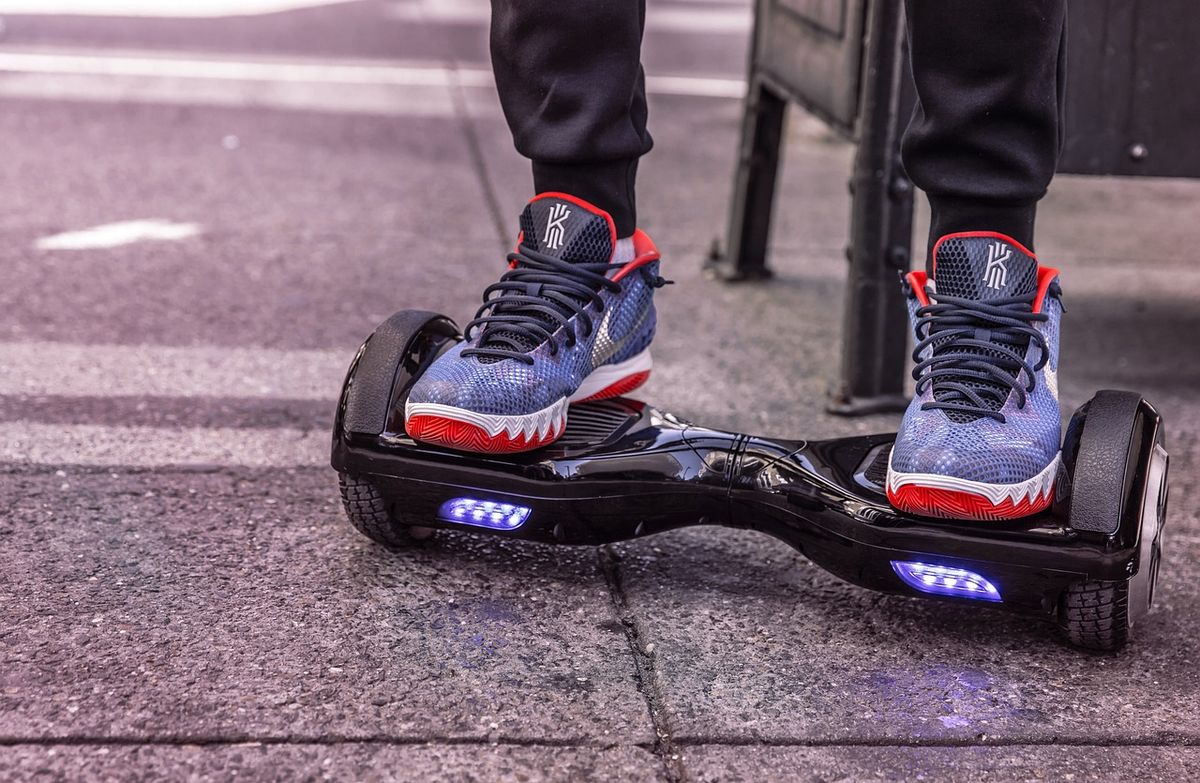
The phrase hoverboard game covers two fun ideas. The first is a game built around the real self-balancing board you stand on, the two-wheeled kind you see kids zipping around on. The second is the dreamy, sci-fi version: a floating board straight out of Back to the Future that glides above the ground. Most games mix a little of both. You get the glowing, futuristic look paired with the racing and trick action that riders love.
A simulator leans toward realism. It tries to copy the balance, speed, and physics of riding, so you feel every carve and drift. An arcade game cares less about realism and more about pure fun, with endless coins, wild ramps, and impossible flips. Neither one is better. It just depends on whether you want to practice the feel of riding or simply mess around and rack up points.
The best part? Hoverboard games live almost everywhere. You can play free ones in your browser, download apps on your phone, race on Roblox, jump into big adventures on PC and console, or strap on a VR headset for the closest thing to actually floating. Here is a quick map of where to find them.
- Browser games – instant play, no download, almost always free
- Mobile apps – quick fun on the go, usually free with ads
- Roblox – social racing and collecting, hugely popular with kids
- PC and console – the deepest, best-looking hoverboard worlds
- VR – lean, carve, and feel like you are really hovering
| Game | Platform | Style | Price |
|---|---|---|---|
| Hover: Revolt of Gamers | PC, Mac, Switch | Open-world parkour | ~$20 (often on sale) |
| Star Overdrive | PC, Switch | Open-world adventure | ~$25 |
| Hoverboard Simulator | Roblox | Racing and collecting | Free |
| Subway Surfers | Browser, mobile | Endless runner | Free |
| Fortnite (Driftboard) | PC, console, mobile | Battle-royale item | Free |
| Hoverboard Simulator | Meta Quest (VR) | VR cruising and tricks | Paid |
| Hoverboard Stunt Surfer | Android, Amazon | 3D stunts | Free |
Best Free Hoverboard Games You Can Play Right Now
You do not need to spend a dime to start riding. Free browser games load in seconds and run on almost any computer or Chromebook. A great starting point is Hoverboard Simulator on SilverGames, where your goal is simply to balance your board and reach the finish line of each level. It is simple, a little silly, and perfect for a five-minute break.
On phones, the king of casual hoverboard fun is Subway Surfers, free on Poki and every app store. You dodge trains as you run, and the hoverboard is a power-up: double-tap the screen and you float above the tracks, safe from crashes for about 30 seconds. It is not a pure hoverboard game, but it is probably the most-played way people ride a virtual board. If you want something more focused, the Hoverboard Stunt Surfer app brings 3D tricks, ramps, and upgradeable boards to Android.
Sites like CrazyGames and itch.io are goldmines too. Search hoverboard and you will find dozens of small indie games: neon racers, stunt challenges, and drift games, all free to try. Quality varies, so treat it like a sampler platter. Play a few, keep the ones you love, and close the rest. It costs you nothing but a little time.
Top Hoverboard Simulator Games on Roblox
If there is a kid in your house, Roblox is probably where they will ride first. It is home to a whole family of free hoverboard games, and they are built around unlocking, racing, and collecting, which is exactly the loop young players love. The most popular is simply called Hoverboard Simulator, made by Apex Productions.
In Hoverboard Simulator, you start on a basic board and earn coins by racing and finishing challenges. You spend those coins on faster, flashier boards, hatch pets that boost your stats, and take on obby (obstacle course) levels and special server events. There are different race types too, like jump races and rainbow races. Its newer, updated version goes by Hyper Hoverboards, adding fresh worlds, rare pets, and trick moves.
Other solid picks include Hoverboard Race!, which added trading and new worlds, and Hoverboard Simulator Test, loaded with custom boards to try for free. Almost everything is free to play, though most games sell optional Robux upgrades to speed things along. A handy tip: many of these games hand out promo codes for free boards and coins, so it is worth a quick search before you dive in.
- Hoverboard Simulator (Apex Productions) – race, collect pets, tackle obbys
- Hyper Hoverboards – the newer version with tricks and new worlds
- Hoverboard Race! – trading, a rainbow machine, and fresh maps
- Hoverboard Simulator Test – tons of free custom boards to ride
Hoverboard Games for PC and Console
Want something deeper and better-looking? PC and console are where hoverboard games really shine. These are not quick time-killers. They are full worlds you can get lost in for hours, with proper stories, trick systems, and online racing. Here are the ones worth your money.
Hover: Revolt of Gamers
The genre’s cult favorite. A fast open-world parkour game set in a neon future city where fun has been outlawed and you lead a crew of rebels. Run, slide, wall-bounce, and race, either solo or online with friends. It is on Steam for PC, Mac, and Switch, and it regularly drops up to 90% off during sales, so wishlist it and pounce.
Star Overdrive
An open-world action adventure where you cross an alien planet on a hoverboard. Master tricks, solve puzzles, and battle enemies using special powers. Built by a small, passionate indie team and available on PC and Nintendo Switch.
Hover Havoc
The party pick. Up to four players bump and bounce each other around arenas in short, chaotic matches. Perfect for couch nights with friends or family who just want to laugh and shove.
Fortnite Driftboard
You may already own this one. The Driftboard is an armored hoverboard you ride, jump, and boost on while still shooting, healing, and emoting. It returns for special events, like the Teenage Mutant Ninja Turtles crossover. Even Saints Row and Dying Light 2 hide Back to the Future hoverboard easter eggs for fans to find.
VR Hoverboard Games: The Closest Thing to Floating
If you truly want to feel like you are hovering, virtual reality is the answer. With a headset like the Meta Quest, you do not just press buttons. You lean your body, shift your weight, and carve through the air. It is the nearest a game can get to the real sensation of riding, minus the scraped knees and torn jeans.
For laid-back fun, there is a Meta Quest game literally called Hoverboard Simulator. You can cruise slowly and pull off relaxed tricks, or upgrade your board to unlock faster, tougher stages, so you set the pace. If you crave speed and action, Hyperlane Highway is a neon roguelite shooter where you lean to steer down glowing lanes while blasting enemies with both hands. VRacer Hoverbike delivers high-speed racing with combat, mines, and missiles, all steered by leaning your chest into the turns.
One honest heads-up: VR speed can upset your stomach. The good news is that many of these games are built to help. Hyperlane Highway, for example, uses a head-leaning control system designed to cut down on motion sickness. Play seated for your first few runs, keep sessions short, and take breaks. Your body adjusts faster than you would think.

From Screen to Street: Getting a Real Hoverboard
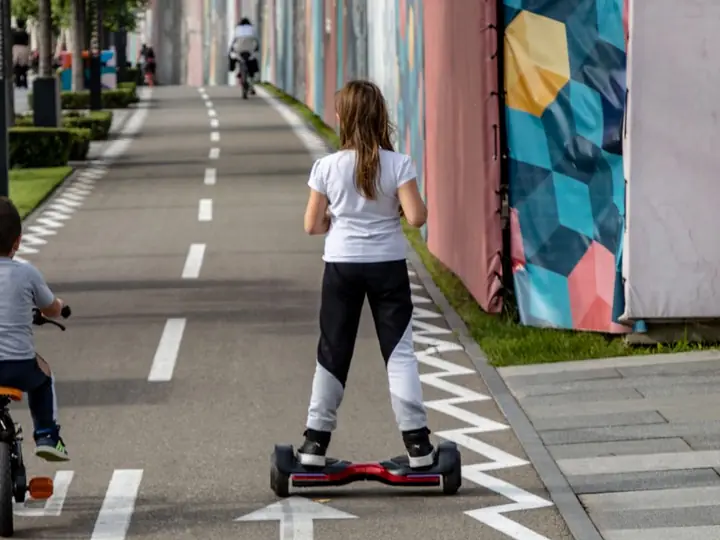
Sooner or later, all that virtual riding makes you want the real thing. The good news is real hoverboards, the two-wheeled self-balancing kind, are more affordable and safer than ever. Most cost between $120 and $300, roll at 6 to 10 mph, and can be learned in a single afternoon. The one rule that matters most: only buy a board that is UL2272 certified. That label means the battery and wiring passed strict fire-safety tests, which is the difference between a fun toy and a scary headline.
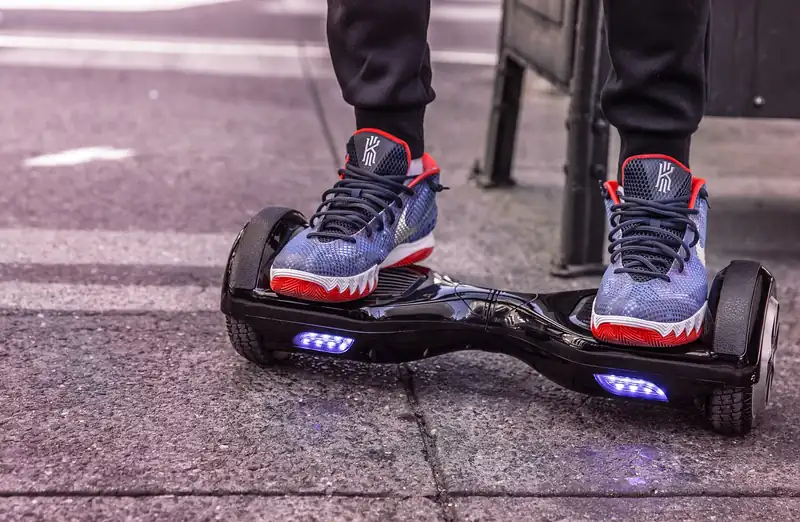
To get closest to that flashy game look, choose a board with LED lights, a Bluetooth speaker, and chunky all-terrain tires. Something like the Gyroor Warrior 8.5 nails it. Its glowing wheels match the neon style of your favorite games, the speaker lets you ride to your own soundtrack, and the fat tires handle grass and gravel just like those off-road levels. It tops out around 10 mph and holds riders up to 265 pounds, so it grows with the whole family.
Whatever you pick, gear up. Real riding is nothing like a game where a crash just means you respawn. A helmet, wrist guards, and knee pads turn spills into no big deal. Start on flat, smooth ground near a wall or a helping hand, keep your knees soft, and look ahead instead of down at your feet. Within a few tries the balancing clicks, and you will be gliding with the same grin you had on the screen.
| Type | Examples | Best For | Cost |
|---|---|---|---|
| Browser games | SilverGames Hoverboard Simulator, CrazyGames | Quick fun, no install | Free |
| Roblox games | Hoverboard Simulator, Hyper Hoverboards | Kids and social play | Free + optional Robux |
| Mobile apps | Hoverboard Stunt Surfer, Subway Surfers | Playing on the go | Free with ads |
| PC and console | Hover, Star Overdrive, Hover Havoc | Deep, long gameplay | $15 to $30 |
| VR games | Hoverboard Simulator, Hyperlane Highway | Most immersive ride | $15 to $25 + headset |
| Feature | In a Game | Real Hoverboard |
|---|---|---|
| Falling | No pain, just respawn | Real spills – wear pads and a helmet |
| Top speed | Unlimited fantasy speed | About 6 to 10 mph |
| Cost to start | Free to $30 | $120 to $300 |
| Tricks and flips | Easy and risk-free | Hard and risky – go slow |
| Charging | Never needed | 2 to 3 hours per charge |
| Safety check | Not needed | Look for UL2272 certification |
Common Mistakes (and How to Fix Them)
Fix: Games let you nail flips instantly. A real board tops out around 6 to 10 mph and takes a few days to master. Start slow, on flat ground, near a wall or a helping hand.
Fix: That glowing board in the ad may skip safety testing. Only buy models that clearly say UL2272 certified to avoid the risk of battery fires.
Fix: Fake hoverboard-game apps that promise free currency often carry malware. Stick to official app stores, the real Roblox app, and Steam.
Fix: Kids pumped up from a trick-heavy game may try to copy it. Set them up with a helmet and pads, and supervise those first real rides closely.
Pro Tips
- 💡 Try before you buy a real board. Free browser games like SilverGames’ Hoverboard Simulator or Roblox’s Hoverboard Simulator let you feel the idea for zero dollars.
- 💡 Hunt for Roblox codes. Games like Hyper Hoverboards drop codes for free boards, coins, and pets, so search ‘Hoverboard Simulator codes’ before you play.
- 💡 In VR, pick comfort-focused games. Titles that use head-leaning, like Hyperlane Highway, cause less motion sickness. Play seated at first and take breaks.
- 💡 Wait for Steam sales. Hover: Revolt of Gamers regularly drops up to 90% off, so add it to your wishlist and grab it cheap.
- 💡 Match tire size to your ground. If you will ride grass or gravel like the off-road levels, get 8.5-inch tires, not the smaller 6.5-inch ones.

An Example Scenario
Illustrative example: a composite of situations riders often describe, not a real customer story.
Picture a kid who spent a whole summer racing boards in Roblox’s Hoverboard Simulator and dodging trains on Subway Surfers, dead sure they’ll be a natural on a real one. Then a Gyroor Warrior with glowing lights and a Bluetooth speaker shows up for their birthday.
The look on his face when he stepped on said it all. Balancing was way harder than the game made it look. The first afternoon is spent gripping a parent’s hand and the fence. But by day three, he was gliding across the driveway with the exact same grin he had while gaming. The games did not teach him to ride, but they absolutely lit the spark.
Frequently Asked Questions
A hoverboard simulator is a video game that recreates the feeling of riding a hoverboard. Some copy real self-balancing boards, while others let you ride sci-fi floating boards like in Back to the Future. You steer, boost, race, and pull off tricks, all without the bumps and bruises of real life. They exist on browsers, phones, Roblox, PC, consoles, and VR headsets.
Many of the best ones are completely free. Browser games on SilverGames and CrazyGames, most Roblox hoverboard games, and mobile apps like Subway Surfers and Hoverboard Stunt Surfer cost nothing to start. Bigger PC and VR titles such as Hover: Revolt of Gamers or Hyperlane Highway are paid, usually $15 to $30, and they often go on sale.
Hoverboard Simulator by Apex Productions is the most popular pick. You unlock dozens of boards, race other players, hatch pets, and tackle obby challenges. Its newer version, Hyper Hoverboards, and the game Hoverboard Race! are great too. All are free to play, though you can spend Robux for a speed boost if you want.
Yes, and it is the most immersive way to ride. On Meta Quest you can find Hoverboard Simulator for laid-back cruising, plus faster action games like Hyperlane Highway and VRacer Hoverbike. Many use body-leaning controls that make you feel like you are really carving. Start slow, since VR speed can cause motion sickness at first.
Not exactly, but they help. Games build excitement and teach the basic idea of leaning and balancing in your head. Real riding uses your feet, ankles, and core in ways a controller simply cannot copy. Expect a real board to feel harder and slower at the start. Wear a helmet and pads, and practice near a wall until it clicks.
An all-terrain board with LED lights and a Bluetooth speaker, like the Gyroor Warrior 8.5, gives you that flashy, glowing game look in real life. Its chunky tires handle grass and gravel like the off-road levels, and it tops out around 10 mph. Just remember that real boards need safety gear and a UL2272 certification.
Final Checklist ✅
- ✅ Try a free browser or Roblox hoverboard game first to see if you enjoy the feel
- ✅ Search for game codes to grab free boards, coins, and pets before you start
- ✅ Only download hoverboard apps from official stores and skip any free-Robux scams
- ✅ For VR, choose comfort or head-leaning titles and play seated at first
- ✅ If buying a real board, confirm it is UL2272 certified for battery safety
- ✅ Match tire size to your terrain: 8.5-inch for off-road, 6.5-inch for smooth pavement
- ✅ Gear up with a helmet, wrist guards, and knee pads before your first real ride