One tire or two? We compare price, speed, safety, and the real learning curve so you can pick the board that fits your budget and your riding style.
The hoverboard vs Onewheel question comes up a lot, and it’s a fair one. Both let you glide around on a self-balancing board with no handlebars. Both feel a little like magic the first time you step on. But under the hood, these two rides could not be more different. One has two wheels and practically teaches itself. The other has a single fat tire and rides like a surfboard on land.
Here’s the short version. A hoverboard is cheap, easy, and beginner-friendly. You can learn it in your living room in about 15 minutes. A Onewheel is fast, thrilling, and built for trails, but it costs as much as a serious appliance and takes real practice to master. They scratch totally different itches, and that’s the whole reason people get stuck choosing between them.
In this guide, we’ll compare price, speed, range, safety, and the learning curve in simple English. We’ll use real 2026 models and prices, so you know exactly what your money buys. By the end, you’ll know which board fits your budget, your skills, and the kind of riding you actually want to do.
This article is part of our guide to electric rideables, which covers electric unicycles, Onewheels, electric skateboards, kick scooters and mopeds.
Hoverboard vs Onewheel: The Quick Answer
If you’re short on time, here’s the bottom line. Buy a hoverboard if you want an affordable, easy, family-friendly ride for smooth sidewalks, driveways, and neighborhood paths. It’s the safe, simple, low-cost pick. Buy a Onewheel if you’re an adventure-seeker chasing speed, off-road trails, and that surfy floating feeling, and you have both the budget and the patience to earn it.
Think of it like this. A hoverboard is a friendly golden retriever. A Onewheel is a horse. One is happy to let almost anyone hop on and go. The other is thrilling and powerful, but it demands respect and can buck you off if you get careless. Neither one is simply better than the other. They’re built for different riders and different days.
- Choose a hoverboard if: you’re on a budget, buying for a kid or teen, riding mostly smooth pavement, or you want to learn in minutes.
- Choose a Onewheel if: you want trails and higher speed, love a snowboard-like feel, are 16 or older, and have room in the budget.
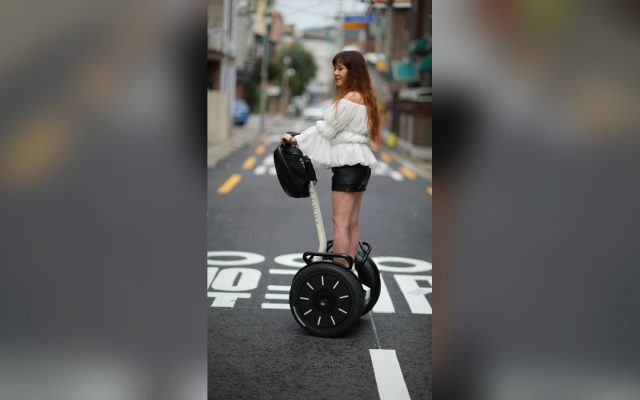
- Still unsure? A premium self-balancing board like the Segway Ninebot S splits the difference: stable and easy, but still a real thrill.
| Feature | Hoverboard | Onewheel |
|---|---|---|
| Wheels | Two, side by side | One fat go-kart tire |
| Self-balancing | Yes, front-back and side-side | Front-back only; you balance sideways |
| Top speed | 6 to 10 mph | 16 to 22 mph |
| Range per charge | 7 to 14 miles | 6 to 32 miles |
| Typical price | $130 to $500 | $1,050 to $3,500 |
| Weight | 20 to 28 lbs | 23 to 35 lbs |
| Learn to ride | 10 to 15 minutes | Days to weeks |
| Best terrain | Smooth pavement | Trails, grass, dirt, pavement |
| Minimum age | 8+ with gear | 16+ |
| Nosedive risk | No | Yes, respect the limits |
How Each One Actually Works
The heart of the hoverboard vs Onewheel difference is simple: how many wheels there are, and how much the board balances for you. That one design choice changes everything about how each ride feels and how hard it is to learn.
That side-to-side balancing is the whole story. It’s why a Onewheel feels like surfing on land, and also why it takes real practice to ride well. A hoverboard hands you stability for free. A Onewheel makes you provide half of it yourself, which is exactly the part that fans fall in love with.
How a hoverboard works
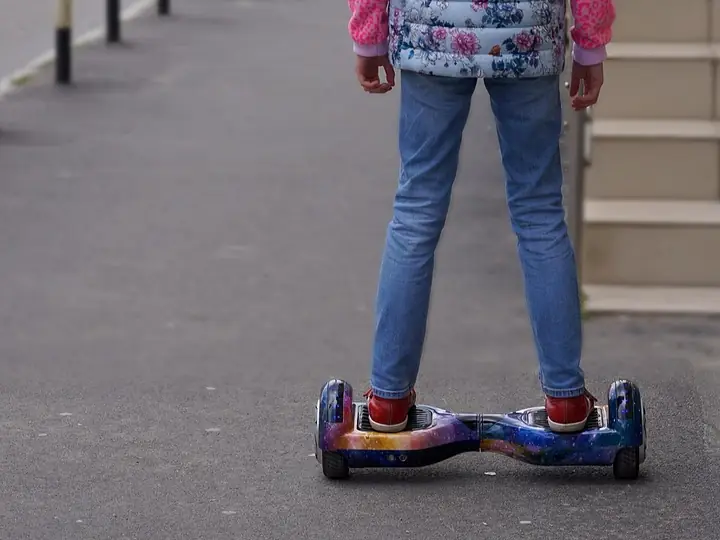
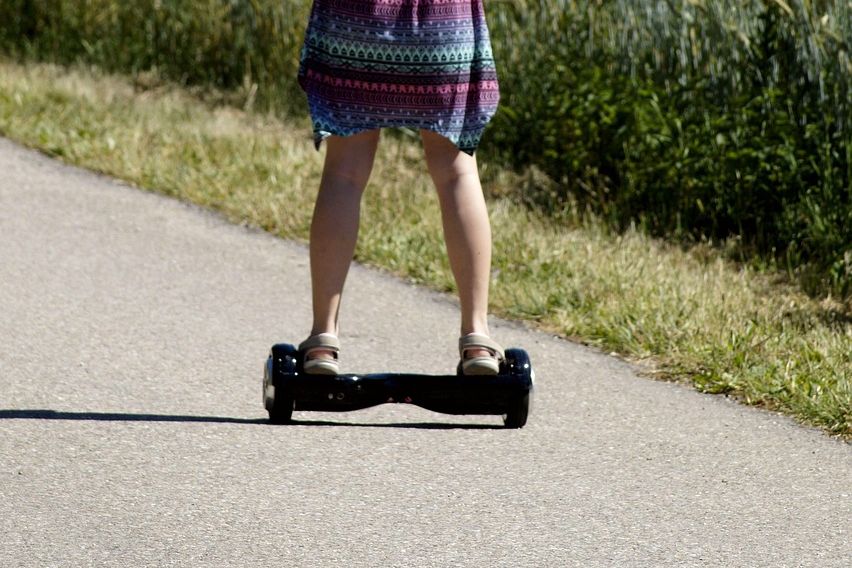
A hoverboard has two wheels sitting side by side, with a footpad over each one. Sensors and gyroscopes keep it level, and they balance you in both directions, front-to-back and side-to-side. You lean forward to go, lean back to slow down or reverse, and twist the pads with your feet to turn. Because it can’t tip sideways, it feels planted and forgiving from your very first step.
How a Onewheel works
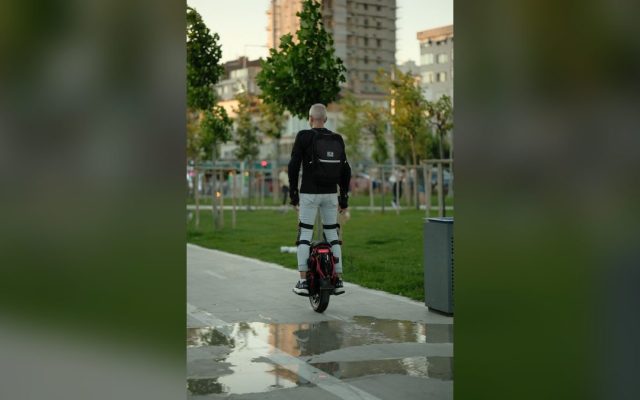
A Onewheel has one thick go-kart tire in the middle, with a footpad on each side. The motor keeps you level front-to-back, but it does not balance you side-to-side. That part is all you, just like riding a snowboard or a surfboard. You stand sideways, lean forward to speed up, and shift your heels and toes to carve and turn. It feels alive and playful, which is exactly why people get hooked.
Price: The Biggest Gap of All
Price is where these two really split. A solid, safety-certified hoverboard runs about $130 to $500. A Onewheel starts around $1,050 for the entry-level Pint and climbs past $3,500 for the top trail models. In plain terms, you can often buy five to ten hoverboards for the price of one Onewheel.
So what makes the Onewheel cost so much? You’re paying for a much bigger motor, a large long-range battery, a rugged off-road tire, and a premium brand with a huge fan community. That hardware is what lets it hit trail speeds and climb hills a hoverboard could never touch. Whether that’s worth a few thousand dollars depends entirely on how you plan to ride.
It’s also worth knowing that Onewheel prices shift with sales and new releases. Future Motion has trimmed prices on older models as newer ones launch, so the numbers in the table below are ballpark figures, not carved in stone.
Speed, Range, and Real-World Performance
If raw performance is your thing, the Onewheel wins on paper without much of a contest. Hoverboards cruise at 6 to 10 mph, which is quick enough for a sidewalk but closer to a brisk jog. Onewheels run from 16 mph on the little Pint up to 22 mph on the GT S-Series, which is genuinely fast and, honestly, a little scary until your skills catch up.
Range tells a similar story. Most hoverboards go 7 to 14 miles on a charge, which easily covers casual laps around the block or a short commute. The premium Segway Ninebot S sits near the top of that group at about 13.7 miles. Onewheels stretch from a modest 6 to 8 miles on the base Pint to 32-plus miles on the GT S-Series, so the high-end boards can go much farther between plug-ins.
Here’s the honest catch, though. Most people never use a Onewheel’s top speed or full range in normal riding. It’s more capability than a casual rider needs. If your trips are short and your streets are smooth, a good hoverboard already does everything you’ll actually ask of it. The head-to-head table below lays the numbers side by side so you can see the gap for yourself.
The Learning Curve and Safety
The learning curve is night and day. On a hoverboard, most people are rolling confidently in 10 to 15 minutes. Step on near a wall, find your balance, lean gently, and you’re off. It’s forgiving because it balances you in every direction, so small wobbles get corrected for you.
A Onewheel asks a lot more. Because you balance side-to-side yourself, expect days or even weeks before it feels natural, and count on some tumbles early on. You also have to learn the board’s biggest quirk, the nosedive. If you push past its power limits, by going too fast, climbing a steep hill, or riding on a low battery, the nose can suddenly dip and throw you forward with little warning.
That risk is not just theory. In September 2023, Future Motion and the U.S. safety regulator (the CPSC) recalled about 300,000 Onewheels after reports of serious injuries and four deaths between 2019 and 2021. The company added a firmware feature called Haptic Buzz that buzzes and beeps to warn you before you hit the board’s limits. Hoverboards have their own history too. Cheap, uncertified models caused battery fires years ago, but a safety standard called UL 2272 fixed that. A certified hoverboard today is a very safe machine.

Where You Can Ride Each One
Where you’ll ride should shape your choice as much as price does. Hoverboards are happiest on smooth, hard, flat ground: sidewalks, driveways, gym floors, and tidy bike paths. Their small wheels don’t like cracks, bumps, or loose surfaces, and they can get stopped by an obstacle no bigger than a garden hose.
Off-road hoverboards with larger 8.5 to 10-inch tires help a lot. They can roll over grass, gravel, and packed dirt at gentle speeds, which is plenty of fun for a backyard or a park path. But they’re still not true trail machines, and they’ll struggle on anything steep, soft, or rocky.
A Onewheel is a different animal. That single fat tire and high ground clearance were built for the rough stuff: dirt trails, grass, sand, gravel, roots, and hills that would stop a hoverboard cold. It hops curbs and floats over bumps that would buck you off a two-wheeled board. If your dream is carving through a forest path or cruising a beach, the Onewheel is really the only one of these two that can pull it off.
- Hoverboard territory: sidewalks, driveways, smooth paths, gym and mall floors.
- Off-road hoverboard: grass, gravel, and packed dirt at low speed.
- Onewheel territory: trails, dirt, sand, grass, hills, curbs, and roots.
Which One Should You Buy?
Still on the fence? The trick is to match the board to the rider, not to the hype. Here’s who each one truly fits, so you can find yourself in the list and stop second-guessing.
Best for beginners, kids, and families
The hoverboard, hands down. It’s cheap, it’s easy, and it’s safe enough for riders as young as 8 with the right gear and supervision. If you want a low-stress ride the whole family can share, or a gift that won’t lead to a hospital trip, a UL 2272 certified hoverboard is the clear call.
Best for adventure and speed
The Onewheel. If you’re 16 or older, crave trails and higher speeds, and love that surf-and-snowboard feel, nothing else here compares. Just go in clear-eyed about the price, the practice time, and the safety gear it demands. Respect it, and it will reward you.
Best value and best all-rounder
For most people, a good hoverboard delivers the most fun per dollar, and a premium self-balancing board like the Segway Ninebot S is the sweet spot. It’s stable and beginner-easy like a hoverboard, but big-tired and lively enough to feel special, all for a fraction of a Onewheel’s price.
| Model | Top speed | Range | Approx. price |
|---|---|---|---|
| Onewheel Pint | 16 mph | 6 to 8 miles | $1,050 |
| Onewheel Pint X | 18 mph | 12 to 18 miles | $1,100 |
| Onewheel GT | 20 mph | 20 to 32 miles | $2,300 |
| Onewheel GT S-Series | 22 mph | 32+ miles | $2,900 |
| GT S-Series Rally | 22 mph | 32+ miles | $3,500 |
| Type | Wheel size | Typical price | Best for |
|---|---|---|---|
| Kids / entry | 6.5 inch | $130 to $200 | Younger riders, indoor fun |
| All-around | 8.5 inch | $200 to $350 | Teens and adults, mixed use |
| Off-road | 8.5 to 10 inch | $250 to $450 | Grass, gravel, packed dirt |
| Premium self-balancing | 10.5 inch | $450 to $650 | Adults who want the smoothest, most stable ride |
Common Mistakes (and How to Fix Them)
Fix: If you’ve never ridden a self-balancing board, start on a hoverboard or budget real practice time. Learn on flat ground, keep your speed low, and treat the Onewheel with respect. It does not forgive mistakes the way a hoverboard does.
Fix: In at least three of the four deaths tied to the 2023 recall, the rider wasn’t wearing a helmet. Wear a certified helmet and wrist guards on a Onewheel, every single ride, no exceptions.
Fix: Ultra-cheap, uncertified boards were behind the battery fires that made headlines years ago. Only buy a hoverboard with a UL 2272 certification, which means the battery and wiring passed strict safety tests.
Fix: Nosedives usually happen at top speed, uphill, or on a low battery. Keep the latest firmware installed so Haptic Buzz can warn you, back off when it buzzes, and never chase the board’s absolute maximum speed.

Pro Tips
- 💡 Learn on a lawn’s edge. Practice on smooth pavement right next to grass, so a stumble lands soft instead of on concrete.
- 💡 Buy your pads before your board. A helmet and wrist guards are cheap next to an ER bill, so put them in the cart first.
- 💡 Keep a battery buffer. Turn back around half charge. Both boards get weaker and twitchier as the battery drains.
- 💡 Update the firmware on a Onewheel. Open the app and install every update so Haptic Buzz and the latest safety limits stay active.
- 💡 Store batteries smart. Charge on a hard surface, never leave a board charging overnight unattended, and keep it out of freezing or baking temperatures.
An Example Scenario
Illustrative example: a composite of situations riders often describe, not a real customer story.
Take Marcus, a 34-year-old who wanted something fun for getting across a busy college town. He almost bought a Onewheel GT after watching videos of riders carving through parks. Then he did the math: $2,300 for the board, plus a helmet and pads, plus weeks of practice before he’d feel safe near traffic. He borrowed a friend’s Onewheel to try it and ate pavement twice in ten minutes.
Marcus ended up with a Segway Ninebot S instead. He learned it in a single afternoon, uses it for the flat mile to campus, and spent about a quarter of what the Onewheel would have cost. His verdict: the Onewheel looked cooler in the videos, but the hoverboard-style board actually fit his life. That’s the whole game. Match the board to how you really ride, not to the hype.
Frequently Asked Questions
Not really. A Onewheel is technically a self-balancing electric skateboard, not a hoverboard. People cross-shop them because both are self-balancing boards with no handlebars, but a hoverboard has two wheels side by side, while a Onewheel has a single fat tire in the middle. They look similar in spirit but ride completely differently.
A hoverboard is far easier, and most people are cruising in 10 to 15 minutes. It balances for you in both directions, so you just step on and lean gently. A Onewheel only balances front to back, so you handle the side-to-side balance yourself, which takes days or even weeks to feel natural.
A UL 2272 certified hoverboard is the safer choice, especially for kids and beginners. It’s slower, more stable, and can’t nosedive. A Onewheel is faster and can throw you forward if you exceed its limits, and that risk led to a 2023 recall of about 300,000 boards. Either way, wear a helmet.
You’re paying for a much bigger motor, a large battery, off-road tires, and a premium brand. A Onewheel hits 16 to 22 mph and can handle real trails, while most hoverboards top out around 10 mph on smooth pavement. That performance gap is why a Onewheel costs $1,050 to $3,500 versus $130 to $500 for a hoverboard.
Only a little. Off-road hoverboards with 8.5 to 10-inch tires can handle grass, gravel, and packed dirt at low speed, but they’re no match for a Onewheel on trails. The Onewheel’s single large tire and high ground clearance are built for dirt, sand, hills, and roots that would stop a hoverboard cold.
Yes. Future Motion still sells Onewheels in 2026, including the Pint X, GT, and GT S-Series. After the 2023 recall, the company rolled out a firmware feature called Haptic Buzz that buzzes and beeps to warn you before the board hits its limits. Keeping your firmware updated is part of riding one safely.
Final Checklist ✅
- ✅ Set an honest budget: $130 to $500 for a hoverboard, or $1,050 to $3,500 for a Onewheel.
- ✅ Match the board to your terrain: smooth pavement points to a hoverboard, trails and dirt point to a Onewheel.
- ✅ Confirm a UL 2272 certification on any hoverboard before you buy.
- ✅ For a Onewheel, check that it runs the latest firmware with Haptic Buzz enabled.
- ✅ Order a helmet and wrist guards before the board arrives.
- ✅ Check the weight limit against your body weight, since most boards cap around 220 lbs.
- ✅ Plan to learn on flat ground next to grass, at low speed.